
Loox automatically sends a Thank you email to every customer who leaves a product or store review, helping you boost engagement and encourage repeat purchases.
How Thank you emails work
Thank you emails are sent to your customers right after submitting their review. These emails include:
- The option to edit the review by the customer. Learn more
- For text-only reviews with a rating of 4-5 stars, a prompt to add a photo or video.
- A discount code for photo/video reviews (If any).
Customizing your Thank you emails
To customize your Thank you emails:
In your Loox admin, go to Collect reviews > Emails & Scheduling.
Next to Thank you email - Product reviews or Thank you email - Store reviews, click Edit.
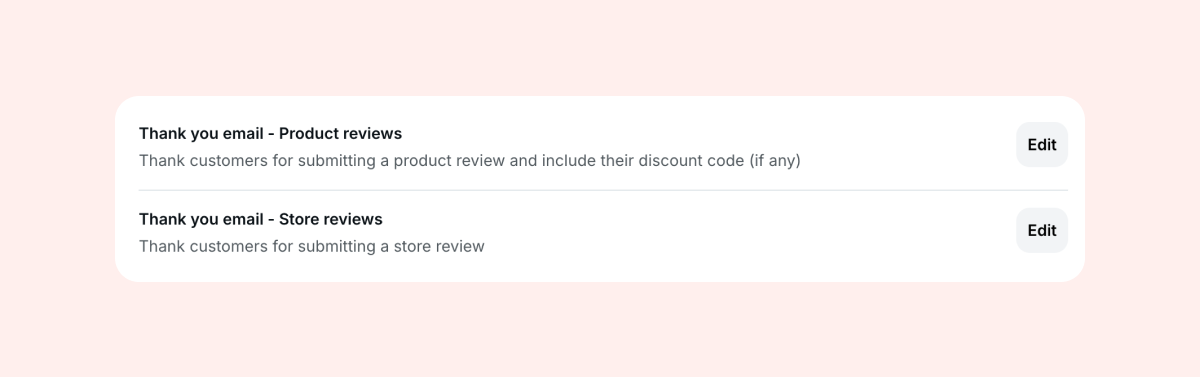
Customize your email and click Save.
Available customization options:
Banner image - Use your global banner image or upload a different one.
Subject line - You can use placeholders like [name] and [product] to personalize the email.
Body text - Keep it short, clear, and in your brand's tone.
Button - This field will only appear if this customer received a discount for submitting a photo/video review, and will allow customers to redeem the discount on your store.
Discount terms - If the customer received a photo/video discount and you limited your photo/video discount to a specific collection, you can edit the terms of your discount that customers will see in a disclaimer link at the bottom of the email.
Note: Any changes you make here to the discount terms will appear everywhere the disclaimer appears (i.e., Thank you emails, Discount reminder emails, review form dialog)
Best practices for Thank you emails
Here are some tips to help you get the most out of your Thank you emails:
- Make the message personal – use the reviewer’s name and keep the tone friendly and on-brand. A personal approach makes customers more likely to engage with your next request.
- Encourage adding a photo or video for text-only reviews – if you offer discounts for photo or video submissions, Loox will automatically prompt happy customers (4–5 star ratings) to add media. This not only enriches your review content but also builds stronger social proof for your products.
- Customize your content to match your brand – update the subject line, banner, and body text so your Thank you emails look and sound like your store. Consistency builds trust and recognition.
FAQs
Q: When is a Thank you email sent?
A: The email is sent right after a customer submits a review.
Q: Can I turn off Thank you emails?
A: Thank you emails cannot be disabled, but can be customized to match your brand’s look and feel.
If you have more questions, contact our Support team. We're available 24/7 and happy to help!