
Add headers or titles to your Loox widgets using your theme's native rich text block option- no coding needed.
Why add a header to your widget?
A header gives your reviews section a clear title, making it easier for shoppers to identify it as they browse your store. It also helps frame the social proof on the page, which can encourage more engagement with your reviews.
How to add a header using a Rich Text section
In your Shopify Themes menu, click Customize to open the theme editor.
Use the page dropdown at the top of the editor to navigate to the page where you'd like to add the header (for example, your homepage or a product page).
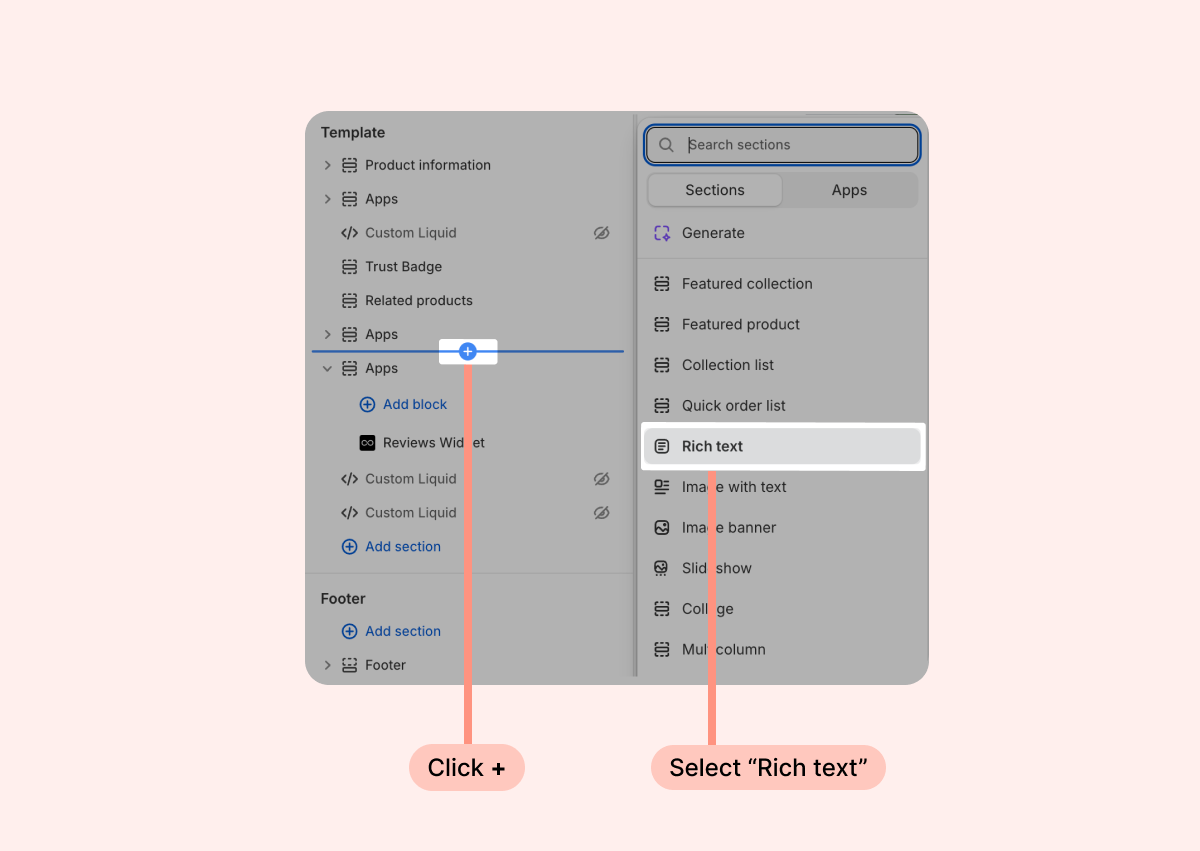
In the left sidebar, click + Add section on the spot where you'd like to add your header.
In the search bar, type "Rich text" and select it from the results.
Once the Rich Text section is added, choose Heading from its block options:
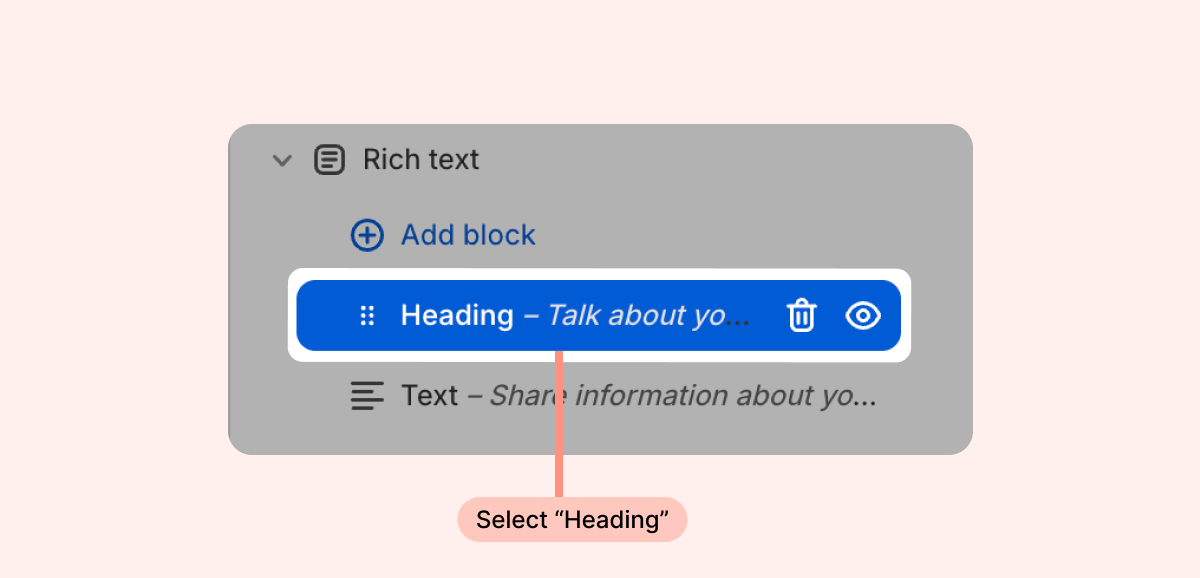
Type your heading text in the text field. For example, "What our customers are saying," or "Customer Reviews." Use the size and alignment options to match your store's style, and remove any unnecessary blocks from your new Heading section.
If necessary, drag the Rich Text section to position it directly above your Loox widget in the sidebar.
Click Save.
Your heading should now appear on the page directly above your Loox widget.
Note: The Rich Text section is available on most Shopify themes, but the exact layout and styling options may vary depending on your theme. If you don't see a Rich Text option, check your theme's documentation or contact your theme developer.
FAQs
Q: Does Loox offer a built-in header for its widgets?
A: Loox widgets don't include a native header option. Adding a Rich Text section with a Heading block in your Shopify theme editor is the recommended way to display a title above your widget.
Q: Will the heading style match my store's branding?
A: The heading inherits your theme's default font and color styles. You can adjust the size and alignment in the block settings, and any further styling would need to be done through your theme's design settings.
Q: Can I add a header above any Loox widget?
A: Yes. You can use this method to add a header above any Loox widget on any page in your store, as long as the Rich Text section is available in your theme.
Q: What if I can't find the Rich Text section in my theme?
A: Most Shopify themes support the Rich Text section, but availability can vary. If you don't see it, we recommend checking your theme's documentation or reaching out to your theme developer for guidance.
If you have more questions, contact our Support team at [email protected]. We're available 24/7 and happy to help!