
Easily transfer your Judge.me reviews to Loox and keep your customer feedback visible.

Migrating to Loox from Judge.me? Click here to import your reviews with just one click
To manually import your reviews from Judge.me:
- Inside the Judge.me app, go to “Manage Reviews”.
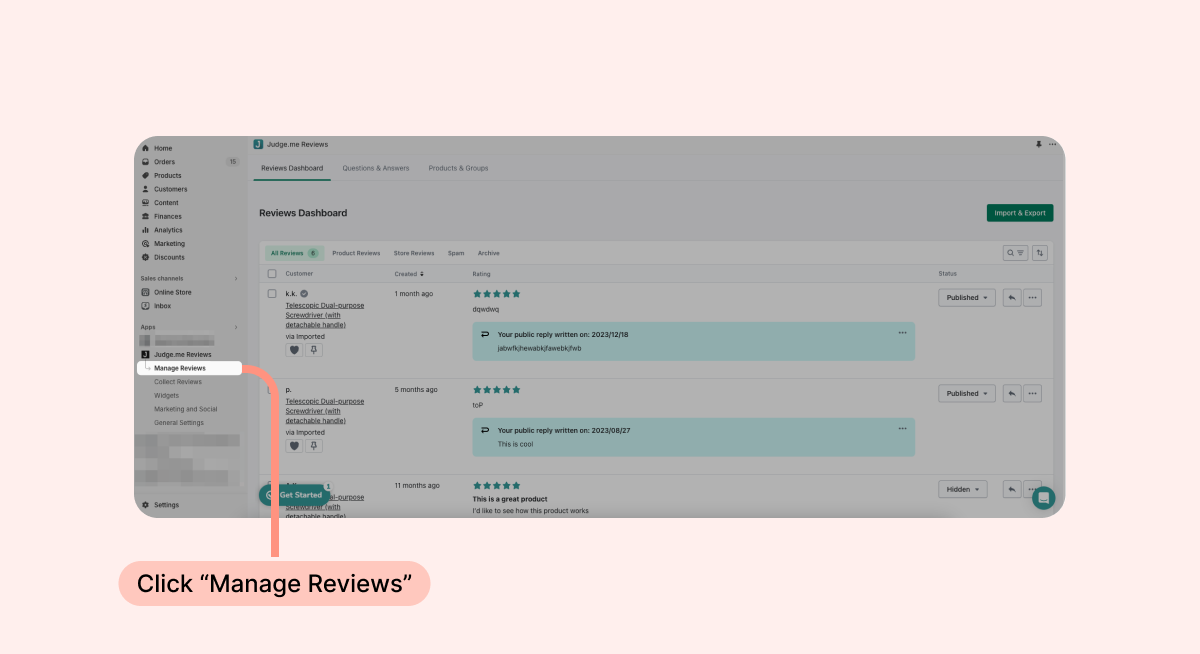
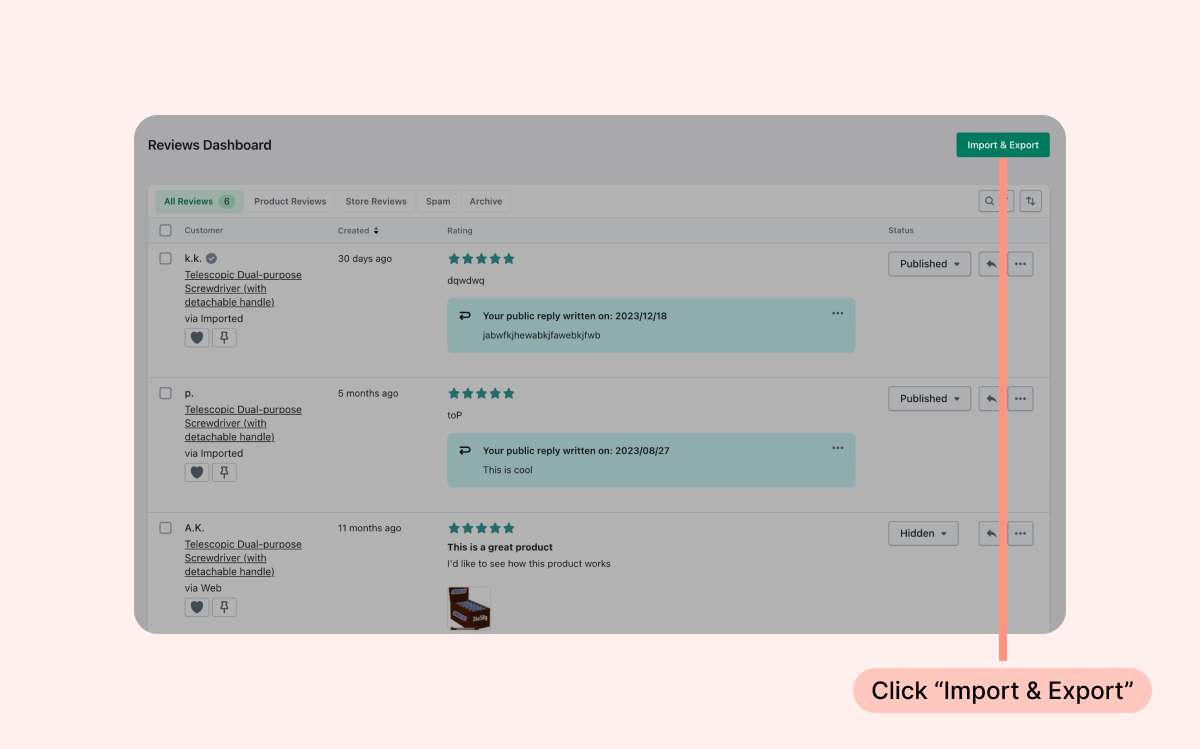
- Click “Import & Export”.
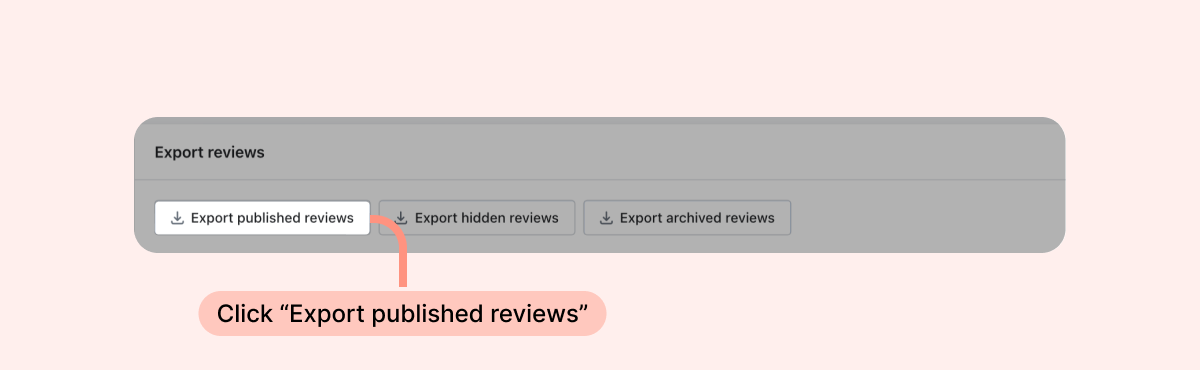
- Click “Export published reviews” under “Export Reviews”.
- Within your Loox admin, go to "Manage Reviews" and click “Import Reviews”.
- Click "Judge.Me”.
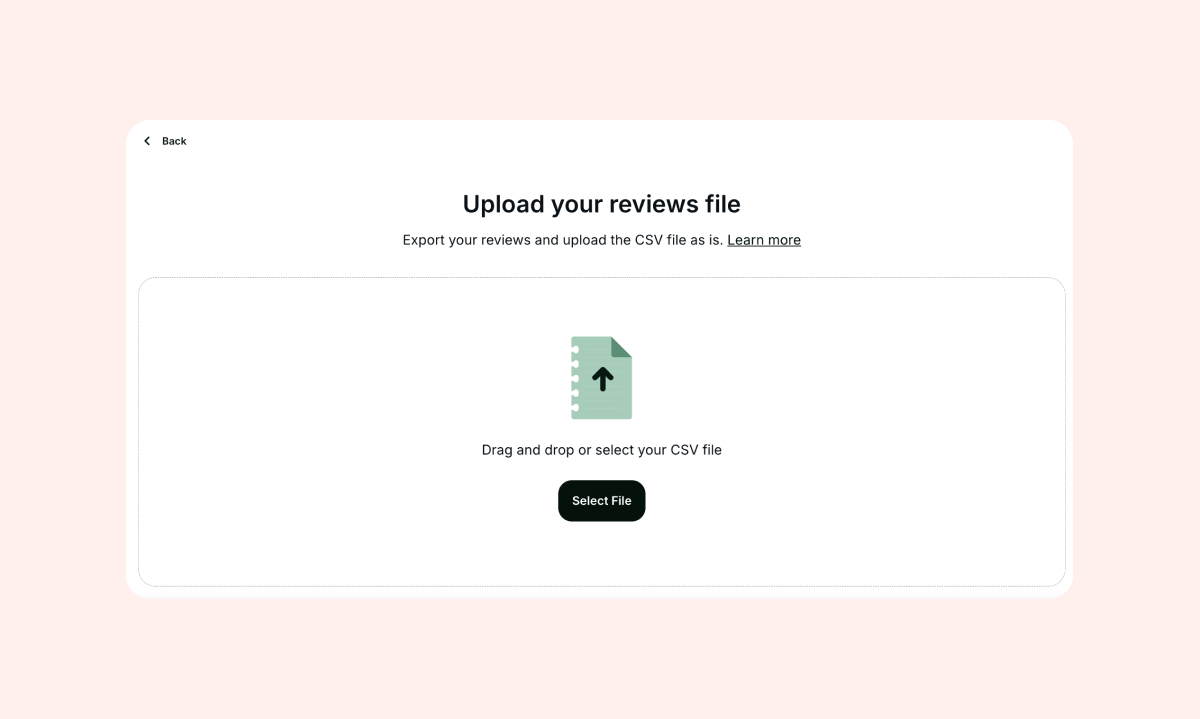
- Upload your CSV file exactly as exported.
- Once the import is complete, you will receive a review import summary email specifying the number of successfully imported reviews. The email will be sent to the address listed on your Shopify account.
- If any reviews fail to import, the email will also include a CSV file listing errors that need to be corrected before re-importing.
- Imported reviews will appear in your “Manage Review” settings section.