
Build a smart, flexible reward system for high-quality reviews by integrating Loox with LoyaltyLion. Using the integration, you can offer tiered rewards for text, photo, and video reviews as an alternative to discounts, set minimum character counts to reward higher-effort reviews, and offer bonus points for specific products or launches.
The Loox + LoyaltyLion integration is available on the Convert Plan and up. Click here to upgrade your plan.
To reward your customers with LoyaltyLion points for submitting a review:
- Inside the Loox app's "Settings - Integrations" menu, go to "Loyalty Lion" and click "Manage".
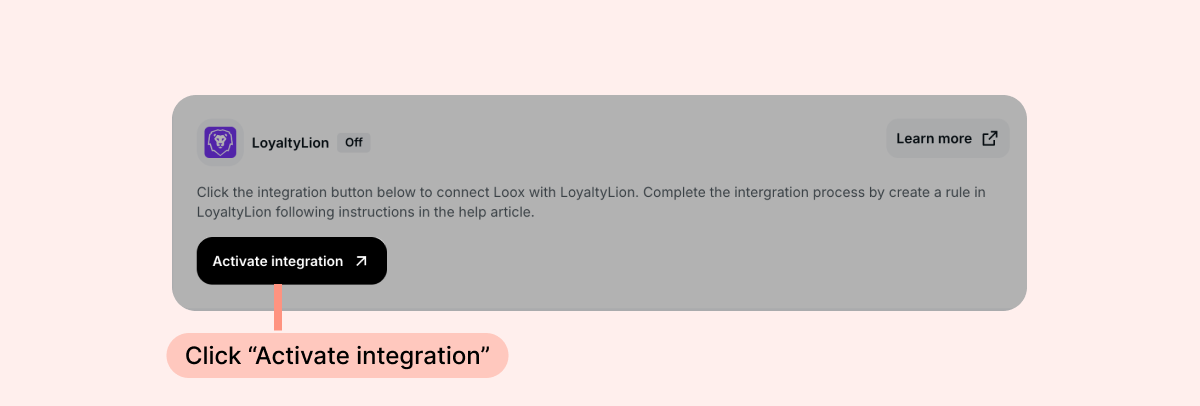
- Click "Activate integration" and follow the steps that appear on the screen to complete the integration setup.
- Go to your LoyaltyLion app.
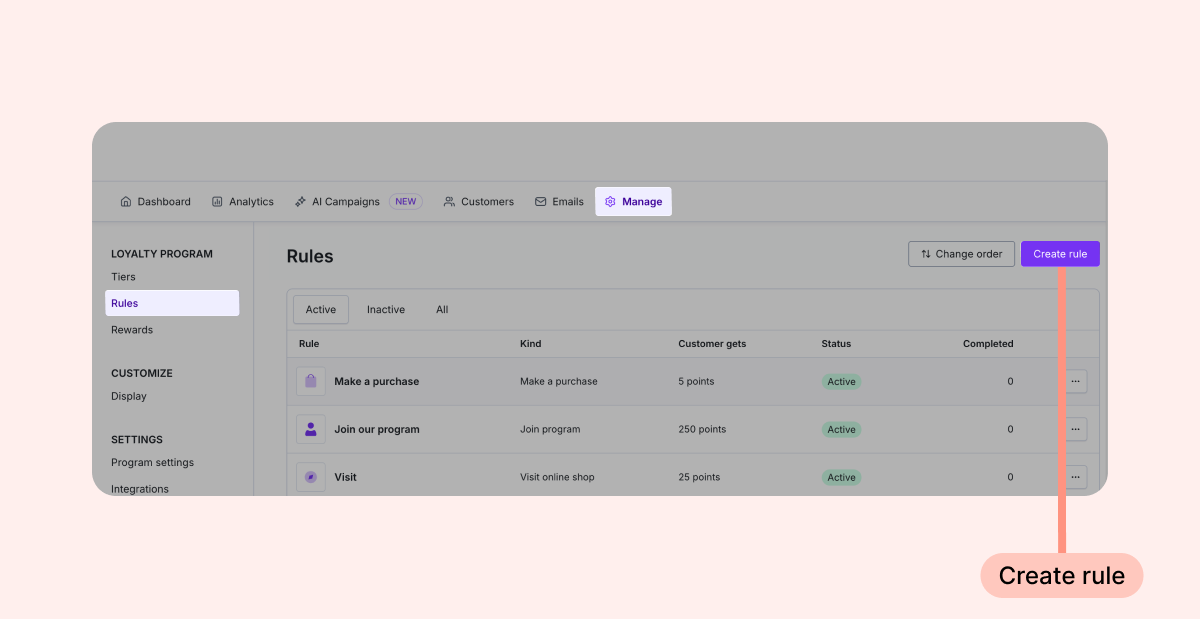
- Under the Manage menu, go to Rules and click "Create rule".
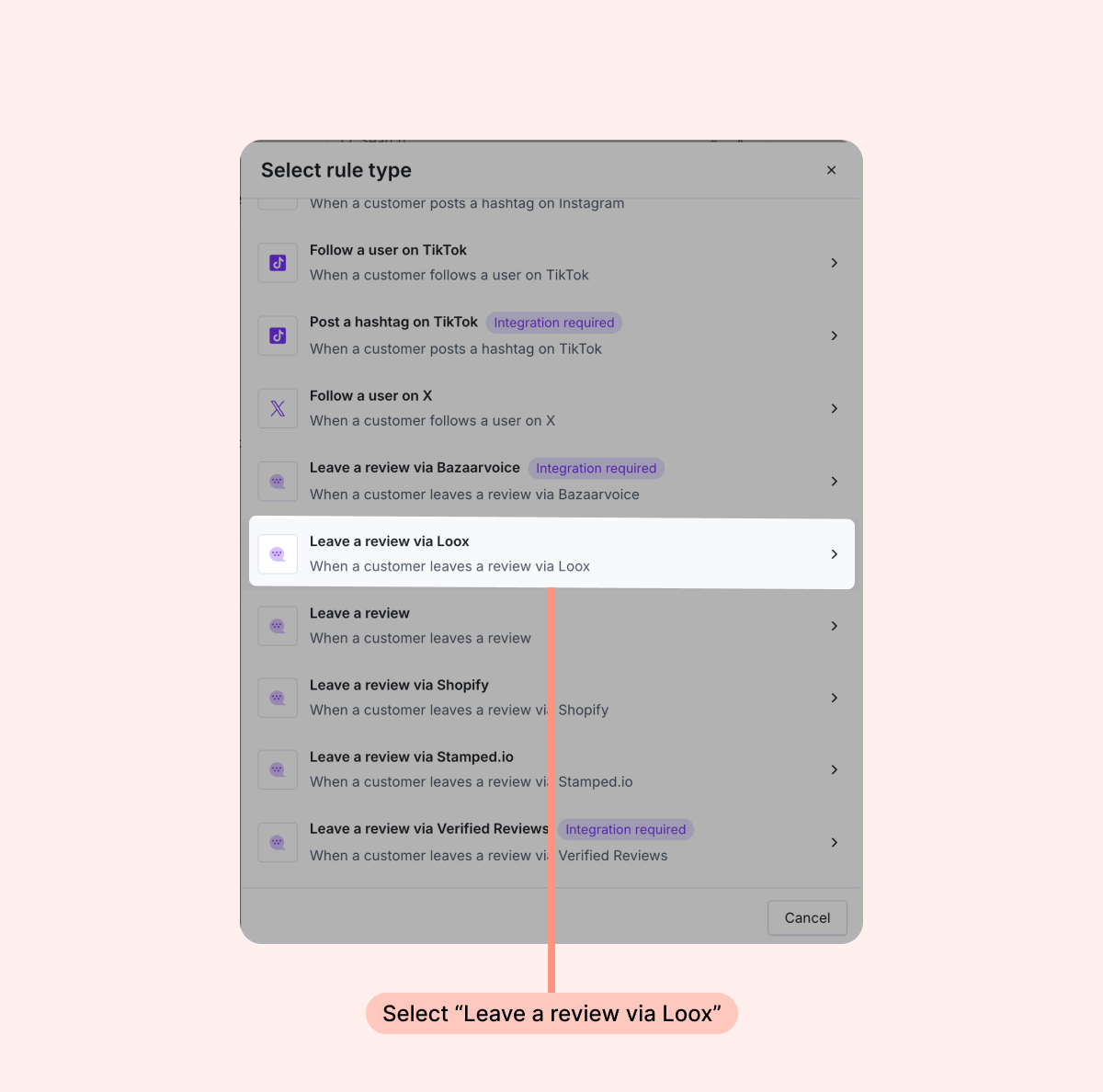
- In the "Select rule type" window that opens, select "Leave a review via Loox''.
- Set the value of points you’d like to reward your customers with for leaving a review, and customize the rule as you wish.
The following are the event triggers we send to LoyaltyLion. You can create earning rules on LoyaltyLion based on any of these events:
- New photo review submitted
- New video review submitted
- New text review submitted
- Review published or unpublished
- Review deleted by customer
- Review updated by customer (including media additions)
Note: Publish and unpublish status is only reported for individual review changes. If you publish or unpublish reviews in bulk from the Manage reviews page, those status changes will not be sent to LoyaltyLion.
These events are only triggered for verified reviews that are submitted via automated Loox review request emails and connected to a verified order. Each event that we send contains the following data:
- Customer ID - the Shopify customer ID
- Email - the customer's email address
- Rating - the star rating submitted by the customer
FAQs
Q: Can I reward different point amounts for different review types?
A: Yes. Since Loox reports a separate activity trigger for each review type (photo, video, and text-only), you can create distinct rules in LoyaltyLion and assign different point values to each.
Q: Will a customer earn points if they update their review to add a photo or video?
A: Yes. When a review is updated - including when media is added - Loox sends a separate update trigger to LoyaltyLion. You can choose whether to reward this activity by creating a rule for the review updated event.
Q: Will customers who submitted reviews before my earning rule was active receive points retroactively?
A: No. Points are only awarded for reviews submitted after the earning rule is active.
Q: Can I reward customers for submitting multiple photos for one review?
A: Yes- you can opt to offer rewards for each photo submitted with a review.
Q: What counts as a verified review?
A: A verified review is one submitted by a customer via a Loox review request email. Reviews imported from other sources do not trigger LoyaltyLion activity.
- Learn more in LoyaltyLion's help article.