
Match the language of your Loox widgets and emails to your store's default language.
Our widgets and emails can be translated into 38 different languages. The selected language will adjust the default text used on all Loox widgets implemented on your store's pages, as well as all of your Loox emails (e.g., Review requests, Review reminders, Photo/video reminders, etc... ).
Loox supports the following languages:
| English |
Hebrew |
Chinese Simplified |
| Spanish |
Arabic |
Chinese Traditional |
| French |
Swedish |
Korean |
| Italian |
Danish |
Vietnamese |
| German |
Norwegian |
Thai |
| Dutch |
Finnish |
Indonesian |
| Portuguese |
Polish |
Malay |
| Turkish |
Croatian |
Tagalog (Filipino) |
| Russian |
Bulgarian |
Japanese |
| Latvian |
Greek |
Slovak |
| Lithuanian |
Hungarian |
Serbian |
| Czech | Romanian |
Slovenian |
| Estonian | Ukrainian |
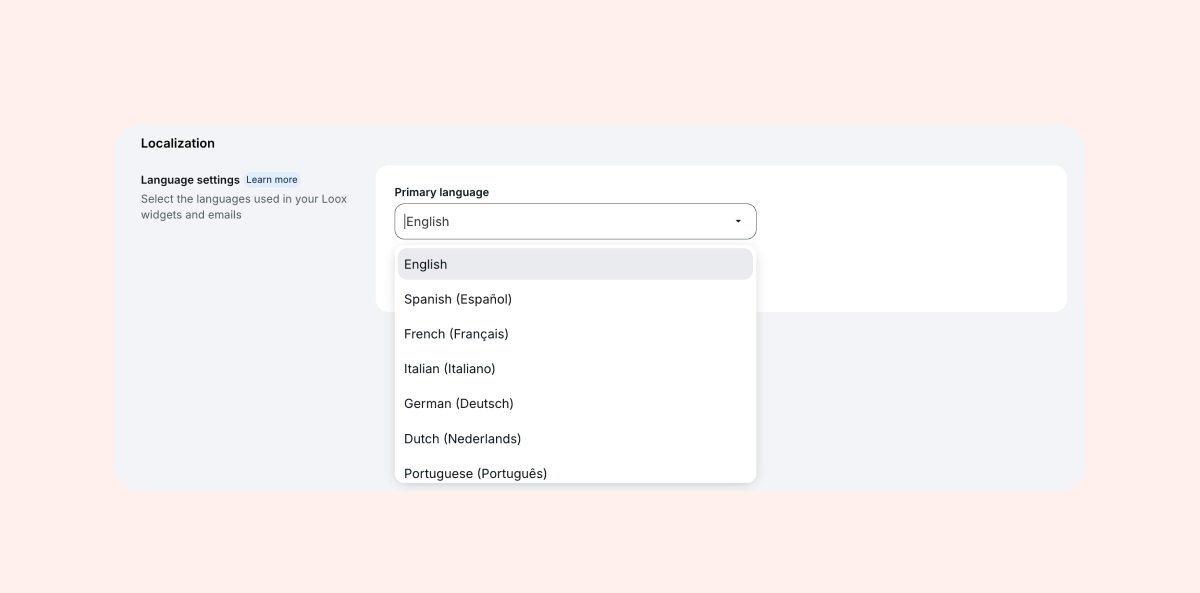
To set your primary language:
- Go to “Localization” within “Settings - General".
- Under “Primary language”, select your language.
If you are looking to translate your Loox widgets and email to a language not currently supported, contact our Support team.