
Available on all Loox plans.
Repeat customers are the best kind of customers, but asking them to review the same product after every purchase wears out their inbox. When you turn on this setting, Loox skips review requests for products a customer has already reviewed, so your loyal customers only hear from you about products they haven't reviewed.
This article covers how to turn the setting on, how skipping works, and how to track skipped requests.
Why skip review requests for already-reviewed products?
- Customers who buy the same product again and again get one review request for it, not one per order
- Fewer repeated requests means customers are less likely to unsubscribe from your store's emails
- Every request you send asks about a product the customer hasn't reviewed, which keeps your requests relevant and your response rates healthy
How to skip review requests for already-reviewed products
In your Loox admin, go to Collect reviews > Emails & Scheduling:
- Turn on the Skip review requests for products customers already reviewed toggle.
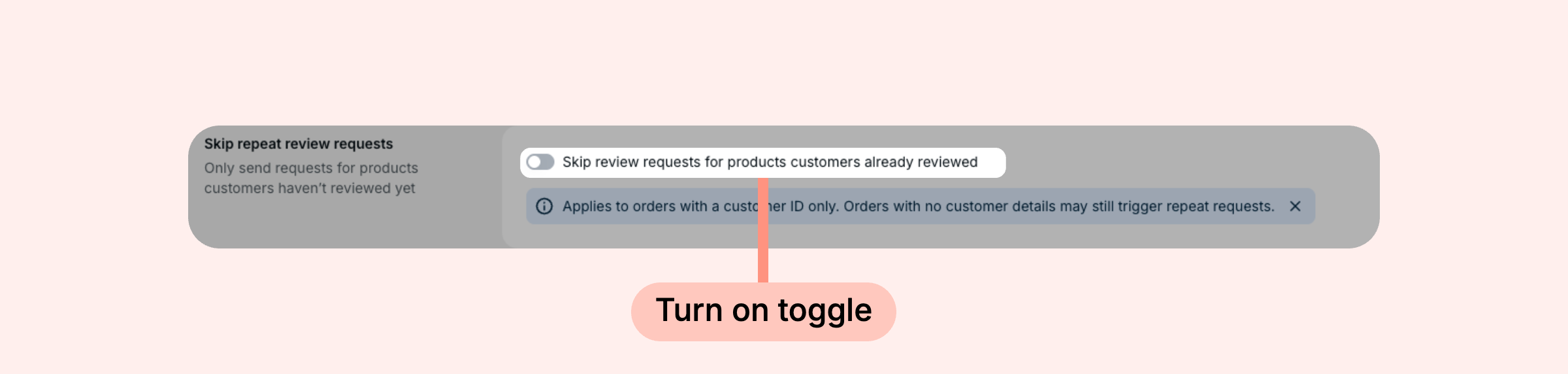
- Click Save.
That's it! Once enabled, Loox will check every review request before sending and skip any product the customer has already reviewed.
How skipping works
Loox runs the check when each review request is due to be sent, not when the order is placed. If the customer has already reviewed a product in the order, the request for that product is skipped:
- Customers are matched by their Shopify customer ID. A customer who checks out under a different customer profile in Shopify is treated as a new customer
- Matching is at the product level. A review on any variant of a product covers all of that product's variants
- Only reviews submitted through a Loox review request for an order count, whether they're published, pending, or unpublished. Imported reviews, reviews left directly on your store, and reviews from manual review requests don't count
- When an order includes several products, only the already-reviewed products are skipped. The review request email is sent with the remaining products. If the customer has reviewed every product in the order, no email is sent
- Reviews are matched per product. A review on one product in a product group doesn't skip requests for the other products in the group
The setting applies to automatic review requests, bonus review requests, and requests a shopper opens through a review link or its QR code.
Review requests you send yourself are always sent
The setting only skips automatic requests. When you choose to send a request manually, that will override the skip:
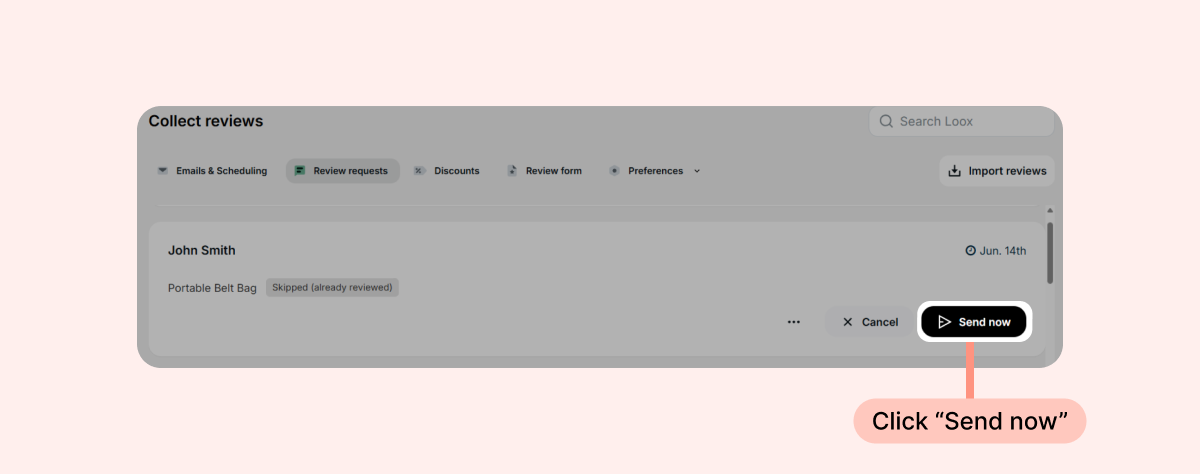
- Clicking Send now on a request on your Review requests page
- Sending a request from the Manual review requests page
Tracking skipped review requests
Skipped requests appear in your Review requests menu with the status Skipped (already reviewed):
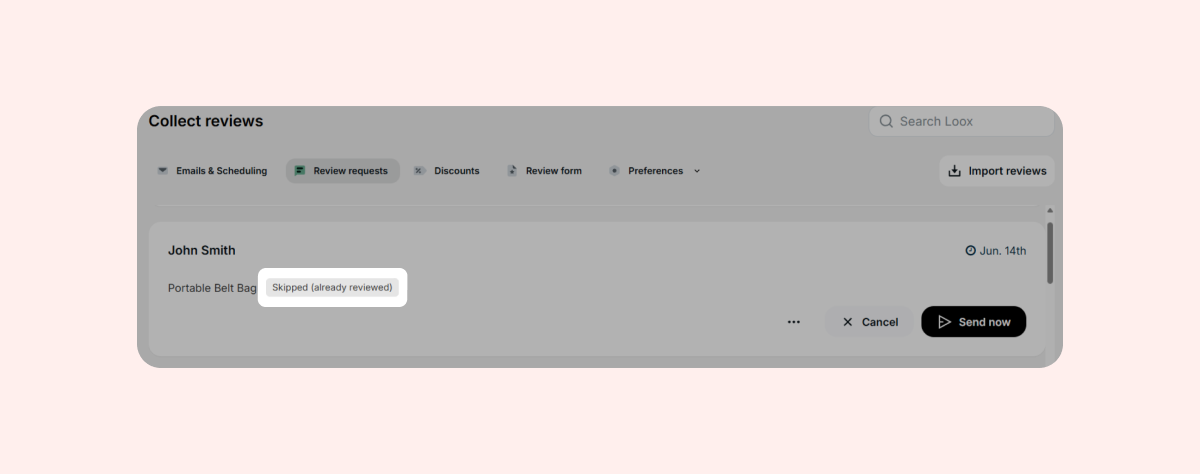
You can filter your orders by this status to see everything Loox skipped. If you want to send a skipped request after all, click Send now on it, and the review request email will be sent right away, with reminders following as usual:
Before their send date, requests that Loox will skip show the status To be skipped (already reviewed).
Learn more about tracking Loox emails.
FAQs
Q: The customer's previous review for the product isn't published. Why was their request skipped?
A: Because the customer already responded. Loox counts every review the customer submitted for the product, including pending and unpublished reviews, so they aren't asked to review the same product twice.
Q: When I enable the toggle, will this new setting only apply to new orders? What if I turn this back off?
A: Turning the setting on also applies to review requests that are already scheduled but haven't yet been sent. Turning it off applies to future requests only, so requests that were already marked as skipped still won't be sent.
Q: Will this setting work even if I send review requests via Klaviyo/Omnisend?
A: Yes, this works for Klaviyo and Omnisend as well. Any skipped requests on Loox won't trigger your review request flows on Klaviyo/Omnisend.
Q: Can I still request a review for a product the customer already reviewed?
A: Yes. Requests you send yourself are always sent. Click Send now on the request on your Review requests page, or send it from the Manual review requests page.
Q: A customer told me they were asked to review a product they already reviewed after I enabled this feature. Why?
A: The customer's earlier review isn't linked to their Shopify customer ID. This happens when the review was imported, left directly on your store, or submitted through a manual review request, or when the customer checked out under a different customer profile in Shopify.
If you have more questions, contact our Support team. We're available 24/7 and happy to help!