Highlight your favorite reviews by adding our Carousel Widgets via code to any spot on your store where Loox app blocks can't be added.
Notes:
- Select at least one review or product to display on your Carousel Widgets for it to appear on your live store.
- If you are using a Shopify 2.0 Theme, click here to learn how to display Loox Widgets on your store pages.
When to add the Carousel widgets via code vs. via app block
You might need to add the widget via code if:
1. you're on a vintage (1.0) Shopify theme.
2. you're on a 2.0 theme but want to add the widget in a location where you can't use the Loox app block. For example- if you want to add the widget to a custom snippet or on a page-building app.
If you're on a 2.0 theme and have the option to do so in the location you want, use the Loox widget app block instead - it's easier to customize. Read more about adding widgets via app block.
Note: Settings like "Layout" and "Text" in your Shopify theme editor only apply to the Loox app block. They do not affect the code shown below. To customize the code version, use the data attributes listed in the "Customization" section.
Adding the widget via custom liquid block
Before adding the widget via liquid code, check if your theme supports custom liquid blocks in the location where you're looking to add the widget. This will make it easier for you to access and customize the code.
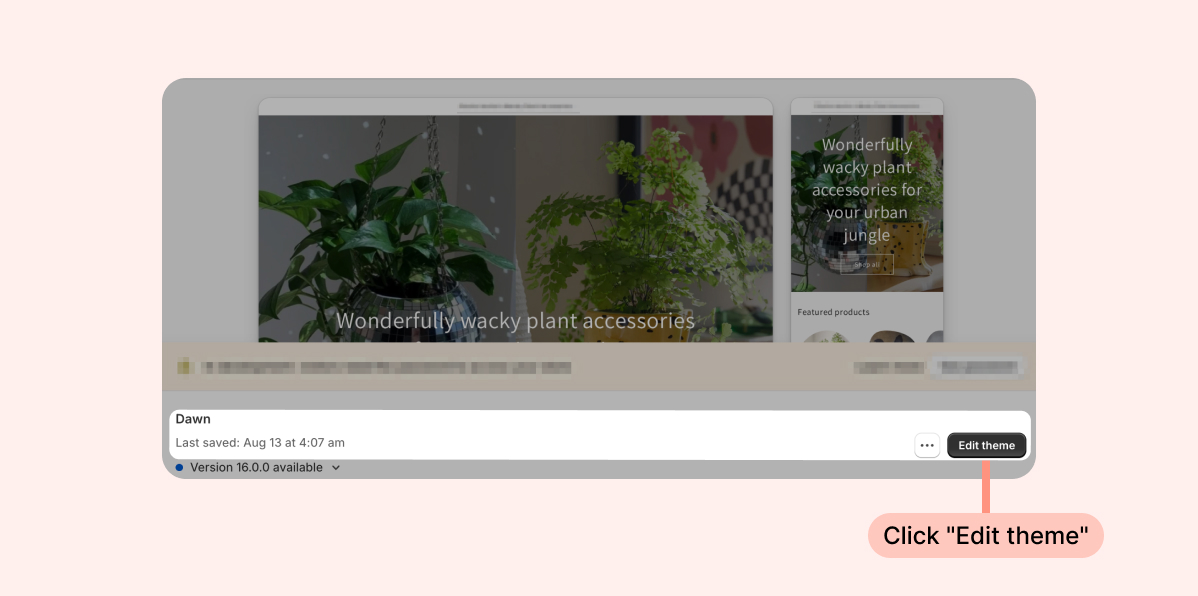
- Inside the Shopify Themes menu, click Edit theme:
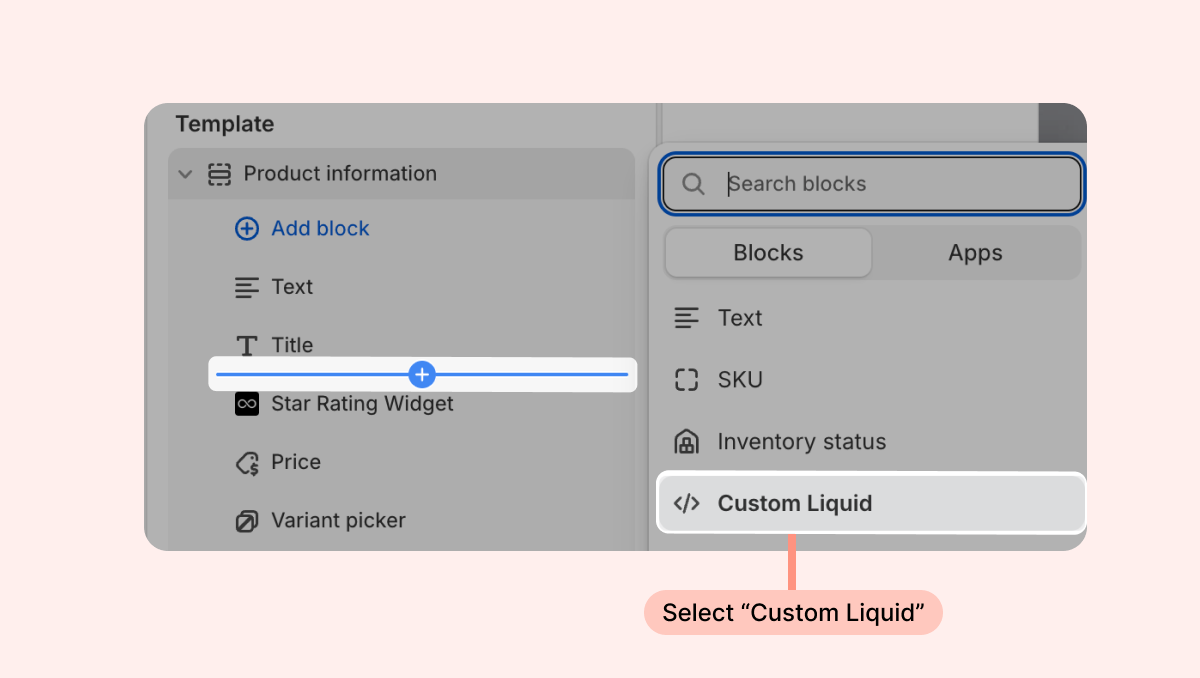
- Head to the page you're looking to work on and click the + in your desired location on the left-hand sidebar to add a new section. Under Sections, search for "Custom Liquid." If it appears, select this option.
Next, add one of the following code snippets to the section's Liquid Code:
Dynamic Carousel Widget
<loox-dynamic-carousel-widget class="loox-widget" data-widget="dynamic-carousel-widget" show-review-text style="width: 100%"></loox-dynamic-carousel-widget>
Testimonial Carousel Widget
<div id="loox-default-carousel"><div class="loox-v2-carousel-container" id="LOOX-V2_CAROUSEL-testimonial" data-slide-type="testimonial" > </div></div>
Gallery Carousel Widget
<div id="loox-default-carousel"><div class="loox-v2-carousel-container" id="LOOX-V2_CAROUSEL-gallery" data-slide-type="gallery" > </div></div>
Cards Carousel Widget
<div id="loox-default-carousel"><div class="loox-v2-carousel-container" id="LOOX-V2_CAROUSEL-card" data-slide-type="card" > </div></div>
If the custom liquid section isn't available, follow the instructions below on how to add the widget via liquid code instead:
To manually add the Carousel Widgets to your store via code:
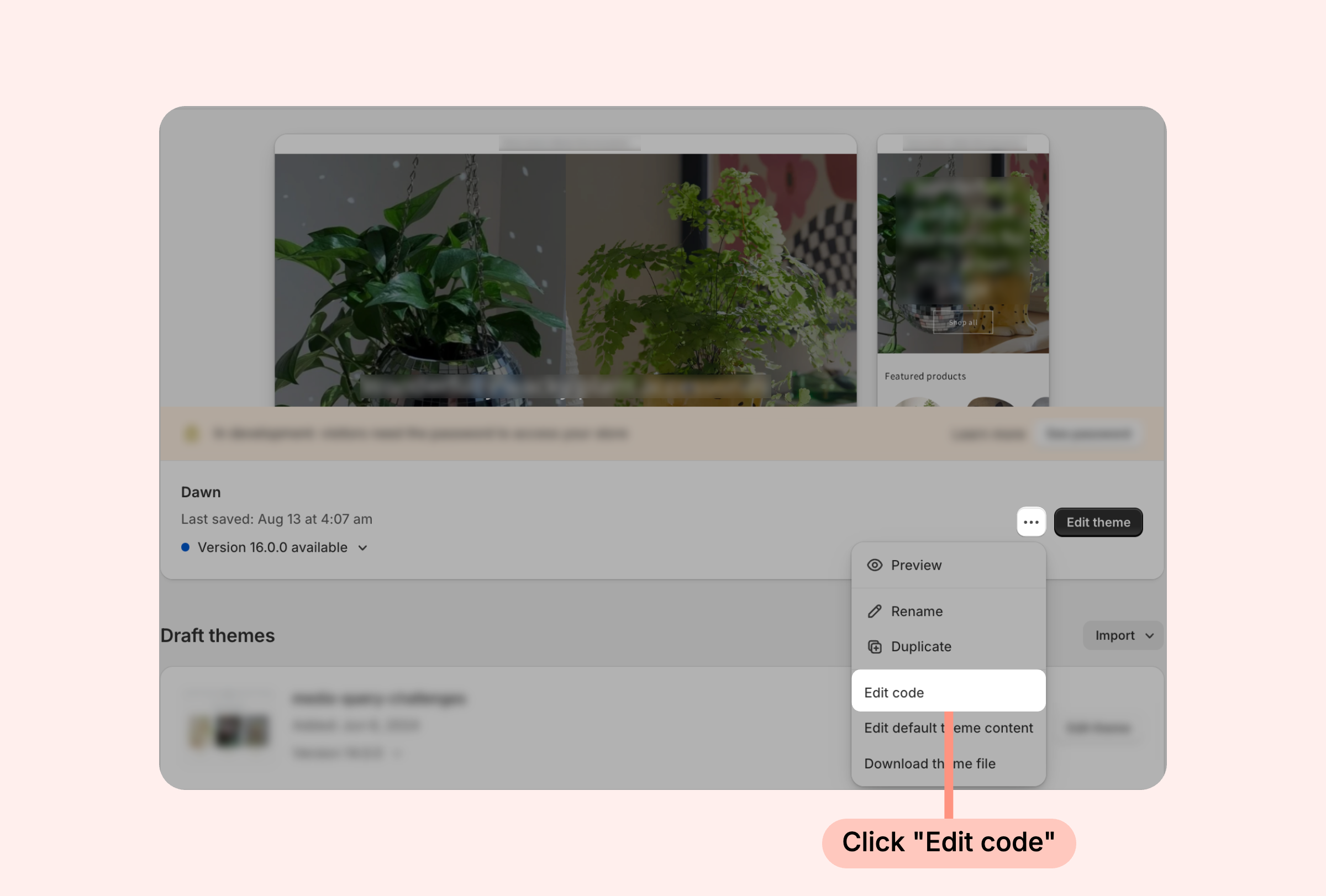
- Inside the Shopify Themes menu, click the “... ” button next to “Edit theme” and select "Edit code":
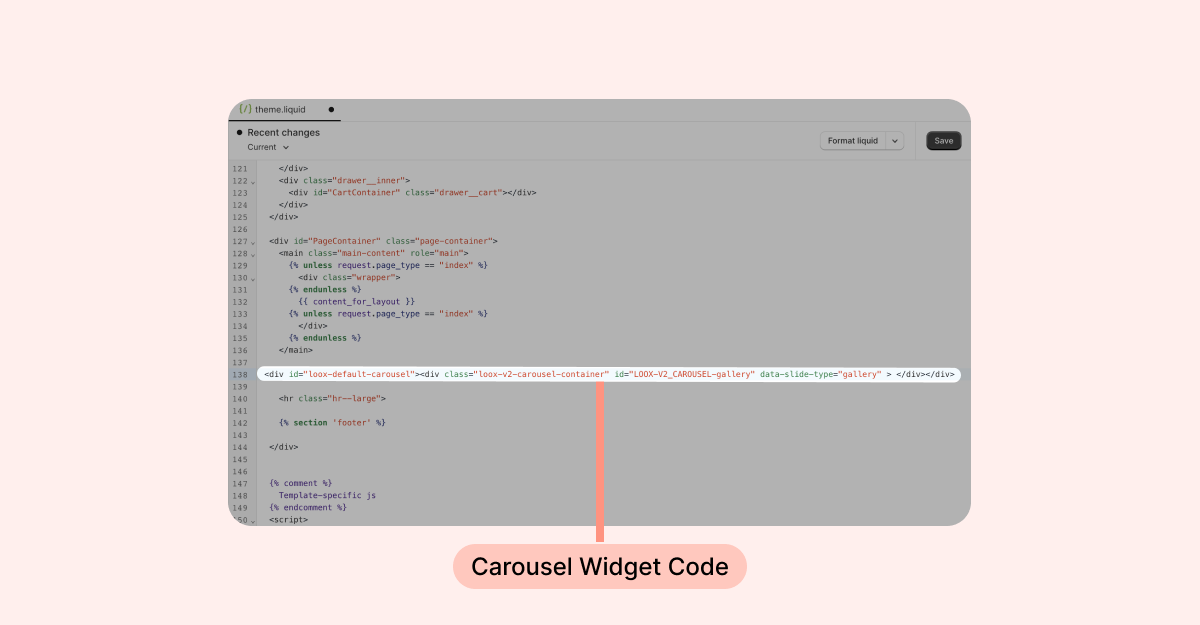
- Open the relevant template or section you use (to add code to your homepage, the template is usually called theme.liquid).
- Copy the code of the Carousel Widget you would like to display:
Dynamic Carousel Widget
<loox-dynamic-carousel-widget class="loox-widget" data-widget="dynamic-carousel-widget" show-review-text style="width: 100%"></loox-dynamic-carousel-widget>
Testimonial Carousel Widget
<div id="loox-default-carousel"><div class="loox-v2-carousel-container" id="LOOX-V2_CAROUSEL-testimonial" data-slide-type="testimonial" > </div></div>
Gallery Carousel Widget
<div id="loox-default-carousel"><div class="loox-v2-carousel-container" id="LOOX-V2_CAROUSEL-gallery" data-slide-type="gallery" > </div></div>
Cards Carousel Widget
<div id="loox-default-carousel"><div class="loox-v2-carousel-container" id="LOOX-V2_CAROUSEL-card" data-slide-type="card" > </div></div>
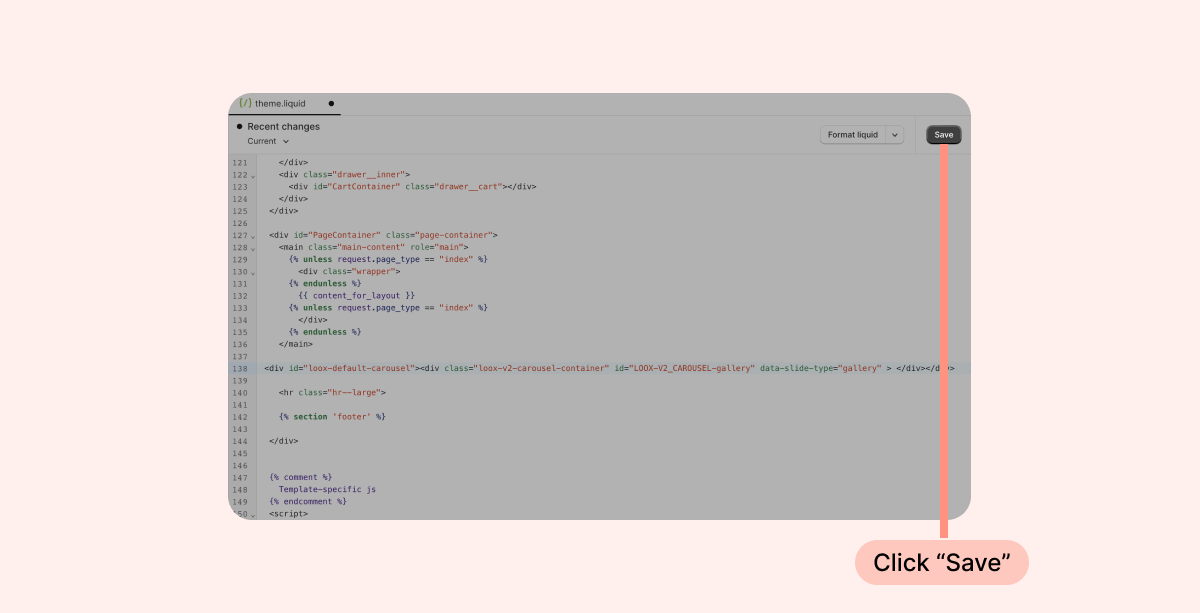
- Paste the code where you would like the widget to appear on the page:
- Click “Save”: