
Available on the Convert and Unlimited plans.
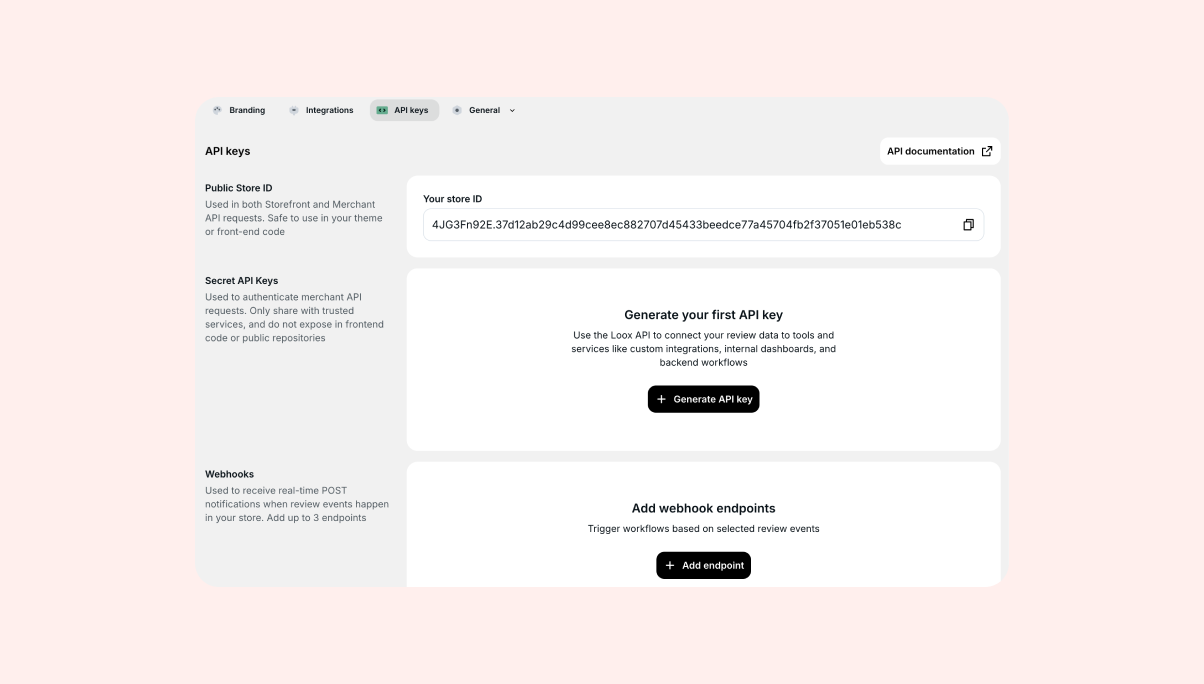 Access your Loox review data programmatically using the Loox Reviews API. Whether you're building a custom storefront, syncing reviews to a CRM, or feeding data into analytics dashboards, the API gives you direct access to your product and store reviews. With webhooks, you can also receive real-time notifications when review events happen in your store - so your integrations can react instantly instead of polling for updates.
Loox offers two APIs, each designed for a different use case:
- Storefront API - Built for public-facing experiences like custom themes, headless storefronts, and mobile apps. Returns review data without personal customer information, so it's safe to use in the browser.
- Merchant API - Built for backend systems like CRMs, loyalty platforms, and analytics tools. Returns full review data, including customer details, and requires authentication.
On top of both APIs, webhooks let you register endpoints that receive automatic notifications whenever review events occur - like a new submission, an approval, or a reply.
Tip: For full technical documentation about API endpoints, pagination, webhook supported events, payload format, webhook signatures and delivery behavior, check out our API documentation.
Why use the Loox Reviews API?
If you're using Loox's built-in widgets, you may not need the API at all. But if you want more control over where and how your reviews appear - or need to work with review data outside of your storefront - the API opens up new possibilities.
Here are some common use cases:
- Render Loox reviews in a custom or headless storefront without relying on the Loox JavaScript widget
- Display star ratings and review counts in your own product listing templates
- Sync review data to your CRM to trigger follow-up automations based on ratings
- Build internal dashboards to track review trends over time
- Pull review data into a loyalty or rewards platform
With webhooks, you can take this further by reacting to events the moment they happen:
- Send a Slack alert to your team when a new review is submitted
- Create a high-priority support ticket when a review below 3 stars comes in
- Award loyalty points the moment a review is published
- Trigger a follow-up email when a review is rejected
Types of APIs
Storefront API
The Storefront API is designed for high-volume, public-facing use. It doesn't require an API key - instead, it uses your store's publicStoreId in the URL and restricts access based on your store's domain (via CORS).
Because this API is intended for browser-side requests, it never exposes personal customer information. Reviewer names are abbreviated according to your Loox "Reviewer name format" setting (e.g. "John D."), and emails, customer IDs, order IDs, and location details are excluded.
Responses are cached at the edge for fast performance. When you publish or unpublish a review in Loox, the cache is automatically refreshed.
Base URL: https://storefront-api.loox.io/storefront/v1/store/{publicStoreId}
Merchant API
The Merchant API is designed for authenticated, server-side access. Every request requires an API key passed in the X-Api-Secret-Key header.
This API returns full review data, including customer emails, customer IDs, and order IDs - making it suitable for CRM syncs, compliance exports, and analytics pipelines.
Responses are never cached, so you always receive the latest data.
The Merchant API is rate limited to 120 requests per minute per API key.
Base URL: https://api.loox.io/api/v1/store/{publicStoreId}
Getting started
Finding your publicStoreId
Your publicStoreId is a unique identifier for your store, used in all API URLs. You can find it in your Loox admin under Settings > API Keys.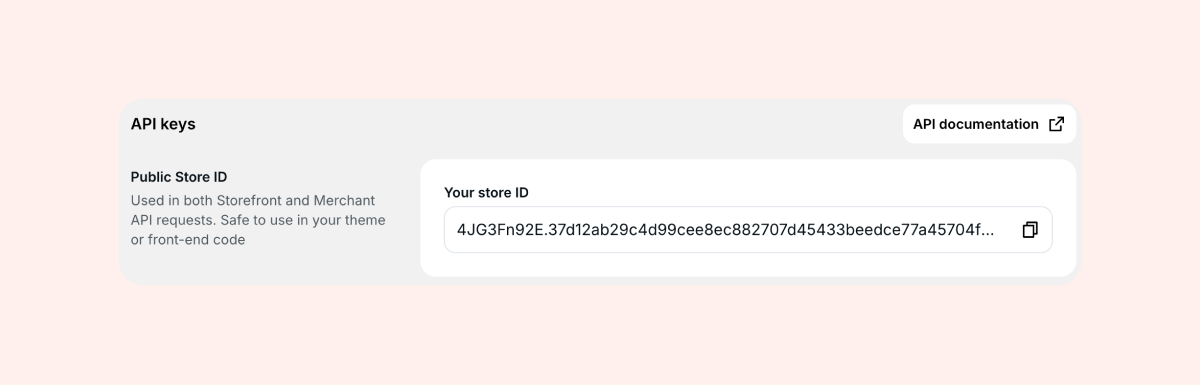
The publicStoreId is always visible on this page and can be safely shared - it does not grant access to private data on its own.
Generating an API key (Merchant API)
If you plan to use the Merchant API, you'll need to generate an API key.
- In your Loox admin, go to Settings > API Keys.
- Click Generate to create a new key.
- Copy the key immediately - it is only shown in full once at the time of creation.
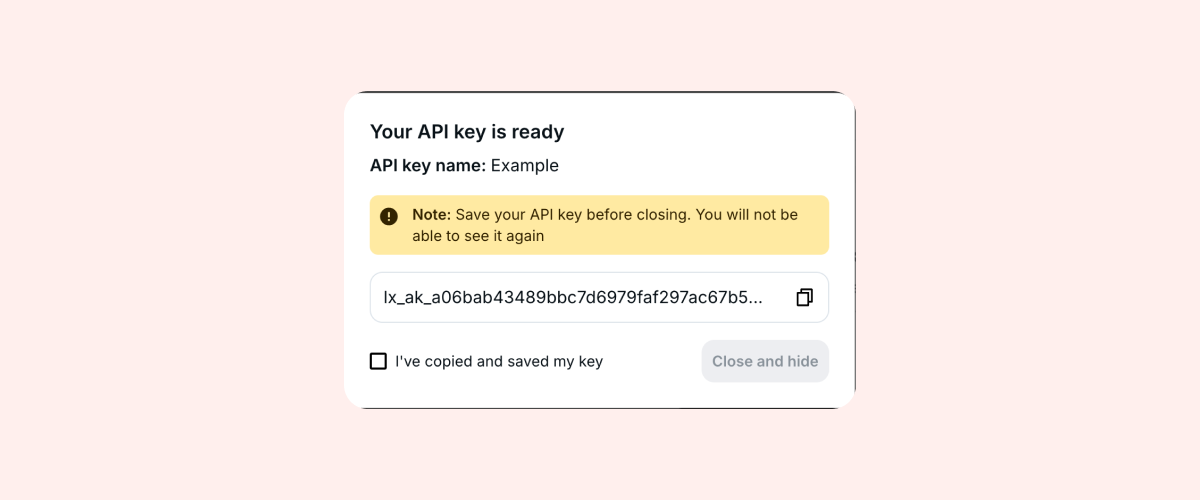
You can create up to 5 API keys per store. Once the limit is reached, the Generate button is disabled. To create a new key, you'll need to revoke an existing one first.
Note: Store your API key in a secure location. It cannot be retrieved after leaving this page. If you lose your key, you can revoke it and generate a new one.
URL examples
Once you have your publicStoreId (and an API key for the Merchant API), you can start making requests. Here are example URLs displayed alongside your publicStoreId in the API Keys settings:
Storefront API: https://storefront-api.loox.io/storefront/v1/store/{publicStoreId}/product-reviews
Merchant API: https://api.loox.io/api/v1/store/{publicStoreId}/product-reviews
Webhooks
Webhooks let you receive real-time HTTP notifications whenever review events happen in your store. Instead of polling the API to check for changes, you register an endpoint URL and Loox sends the event data to you automatically.
This is useful for workflows that need to react immediately - like syncing new reviews to your CRM, sending internal alerts, or awarding loyalty points the moment a review is published.
Webhooks are managed from the same Settings > API Keys page where you manage your API keys and publicStoreId.
How to add a webhook endpoint
- In your Loox admin, go to Settings > API Keys.
- Scroll down to the Webhooks section.
- Click Add endpoint.
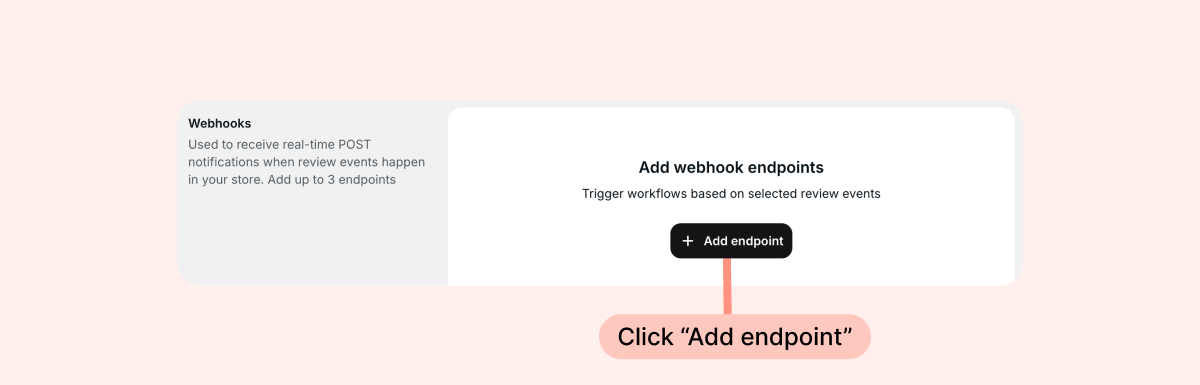
- Enter the HTTPS URL where you want to receive webhook events.
- Select the events you want to subscribe to.
- Optionally, add a validation key to verify that incoming webhooks are from Loox (see our API documentation for more details).
- Click Add endpoint.
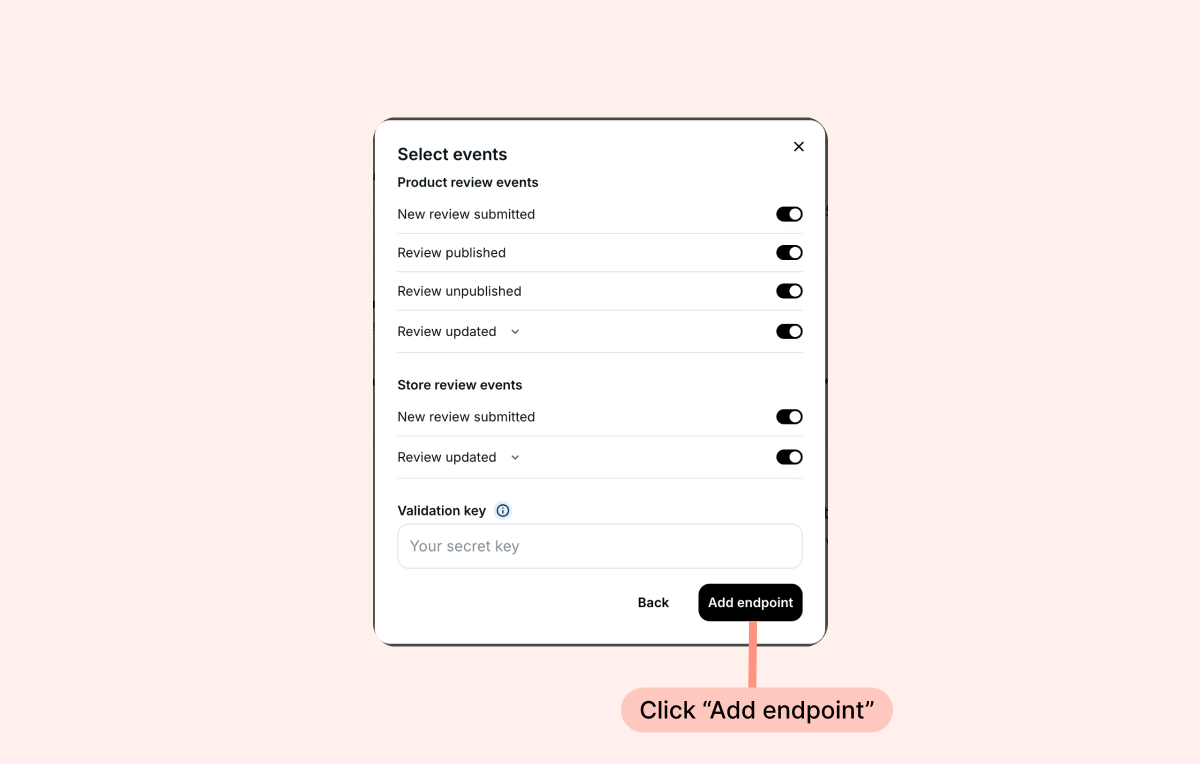 Once saved, Loox will start sending events to your endpoint immediately.
Note: Webhook URLs must use HTTPS. HTTP URLs are not accepted. You can register up to 3 webhook endpoints per store. Each endpoint has its own event subscriptions and optional validation key.
To update an endpoint's events or validation key after creation, click the settings icon (⚙) next to the endpoint. To remove an endpoint, click delete - this stops all future deliveries to that URL right away.
Tip: For more technical information about API endpoints, pagination, webhook supported events, payload format, webhook signatures and delivery behavior, check out our API documentation.
FAQs
Q: Do I need an API key to use the Storefront API? A: No. The Storefront API does not require an API key. It uses your store's domain to verify access via CORS. You only need your publicStoreId, which is available in your API Keys settings.
Q: Can I create, update, or delete reviews through the API? A: No. Both APIs are read-only. You can only retrieve review data. To manage reviews, use the Loox admin.
Q: What customer information does the Storefront API return? A: The Storefront API never returns personal customer data. Reviewer names are abbreviated (e.g. "John D."), and emails, customer IDs, order IDs, and location details are excluded.
Q: What happens if my API key is compromised? A: Go to Settings > API Keys in your Loox admin and revoke the compromised key immediately. Then generate a new one. The old key will stop working right away.
Q: How often is the Storefront API cache updated? A: The Storefront API uses edge caching for performance. When you publish, unpublish, or delete a review in Loox, the cache is automatically purged. Browsers refresh their local cache every 60 seconds.
Q: Is the Merchant API rate limited? A: Yes. The Merchant API allows up to 120 requests per minute per API key.
Q: Can I access the API from any domain? A: The Storefront API restricts browser requests to your store's Shopify domain via CORS. If you need to allow additional domains, you can configure them through your store's CSP allowed domains. The Merchant API is designed for server-side use and is not restricted by CORS.
Q: Do webhooks include customer information? A: Yes. Webhook payloads include full customer details (email, customer ID, order ID, full reviewer name), matching the Merchant API response format. Webhooks are delivered server-to-server to an endpoint you configure, so PII is not exposed publicly.
Q: What happens if my webhook endpoint is down? A: Webhooks are delivered on a best-effort basis. If your endpoint is unreachable, the event is not retried. We recommend making sure your endpoint is reliable and returns a response quickly. If you need to do heavy processing, return a 200 immediately and handle the work in the background.
Q: Can I choose which events each endpoint receives? A: Yes. Each endpoint has its own event subscriptions. For example, you could send new submissions to a Slack notification service and published reviews to your CRM - using two separate endpoints with different event selections.
Q: Is the validation key required for webhooks? A: No. The validation key is optional. Without it, webhooks are delivered unsigned. However, we recommend setting a validation key so you can verify that incoming requests are from Loox and haven't been tampered with.
Q: Are webhooks retried if my endpoint returns an error? A: No. In the current version, webhooks are not retried. If your endpoint returns an error or times out, the event is not re-sent.
If you have more questions, contact our Support team. We're available 24/7 and happy to help!