
Loox is more than a reviews app. It's a full social proof toolkit that puts every part of the shopper journey to work for your store. This article covers the key ways to get more out of Loox, boost conversion, and drive more sales.
Why it matters
Every touchpoint in the shopper journey is an opportunity to build trust and push toward a purchase. The more strategically you deploy social proof, the more impact it has. Displaying reviews earlier in the journey leads to higher conversion rates, and reviews shared beyond your store help bring in new shoppers before they even land on your site.
Display reviews where shoppers make decisions
Making reviews visible at the right moments - not just on the product page - is one of the fastest ways to increase conversions.
- Reviews Widget - The core widget that sits under the product info on your product page. Learn how to customize the widget to match your store's branding.
- Carousel Widgets - Rotating, visual reviews on your homepage, collection pages, or landing pages, so shoppers see social proof before they even reach a product. See all our available carousels here.
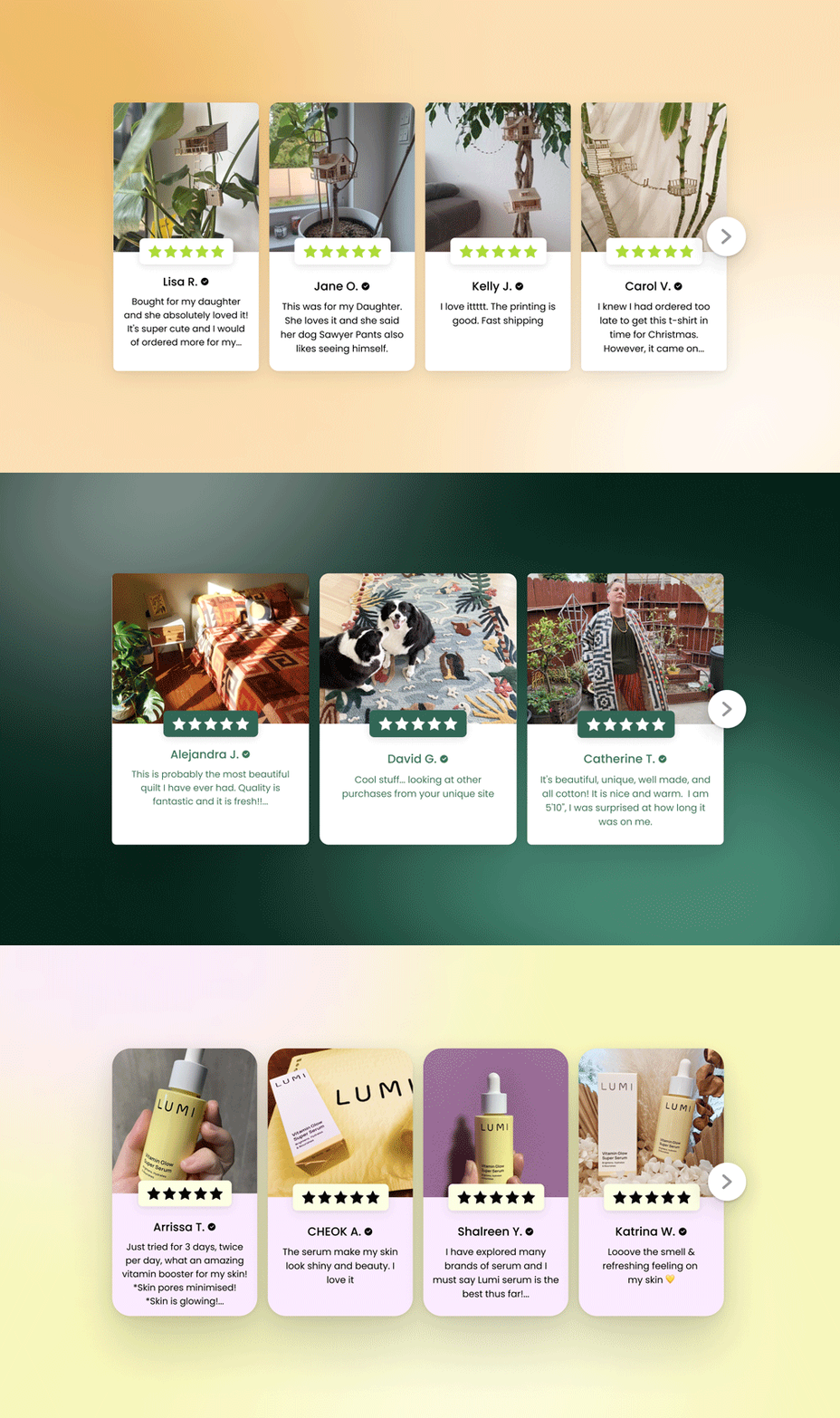
- Reviews at Checkout - Reduce cart abandonment by showing star ratings and adding the Cart Reviews Widget right on the checkout page so shoppers get one last vote of confidence at the exact moment they're deciding to complete their purchase.
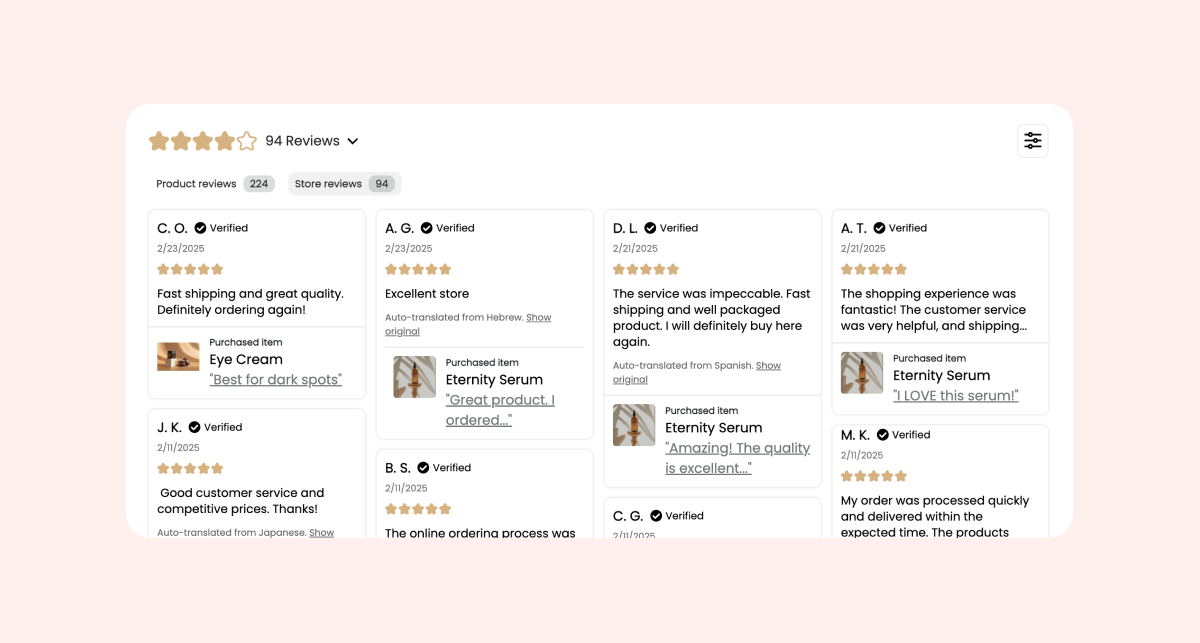
- Dedicated Review Page - One page that brings together every product and store review you've collected. Great for SEO, and worth linking in your footer, ads, and email campaigns. Learn how to create a page like this here.
- AI Review Stories or Snippets Widget - Eye-catching widgets that live above the fold on your product page (above the "add to cart" button) to catch your customers' attention before they can click away from the page.
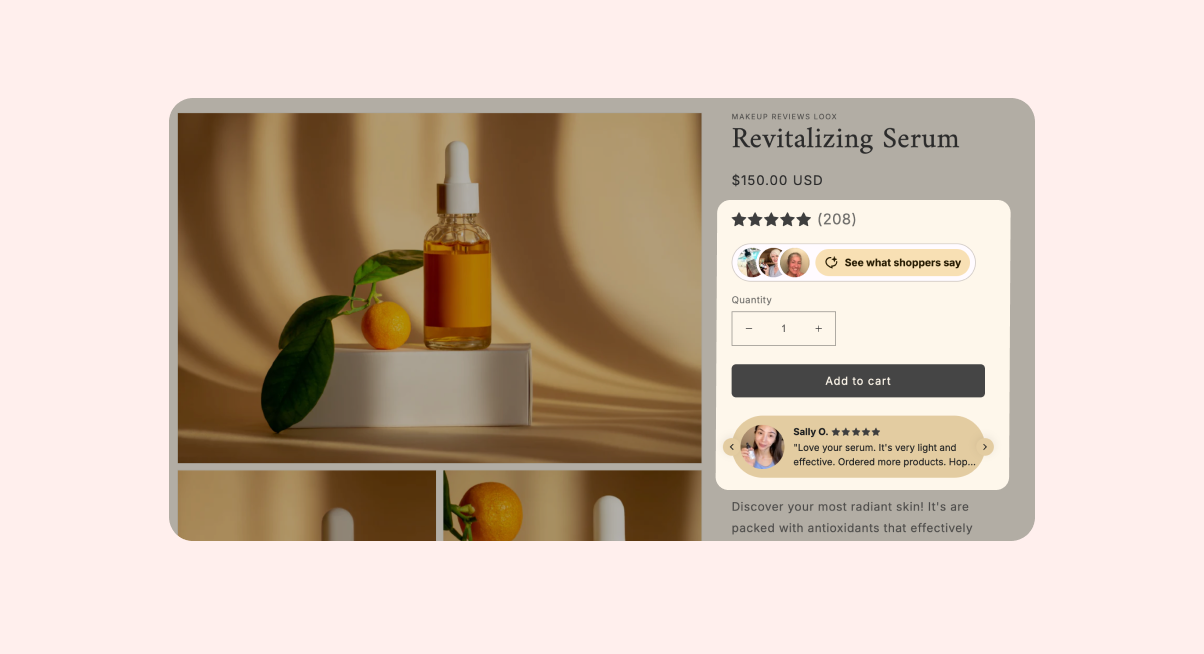
- Star Rating Widget - Usually between the product title and price on product pages but can also be added to product cards on collection pages and the cart page to help shoppers pick out a product with confidence.
Turn reviews into marketing content with Loox Studio
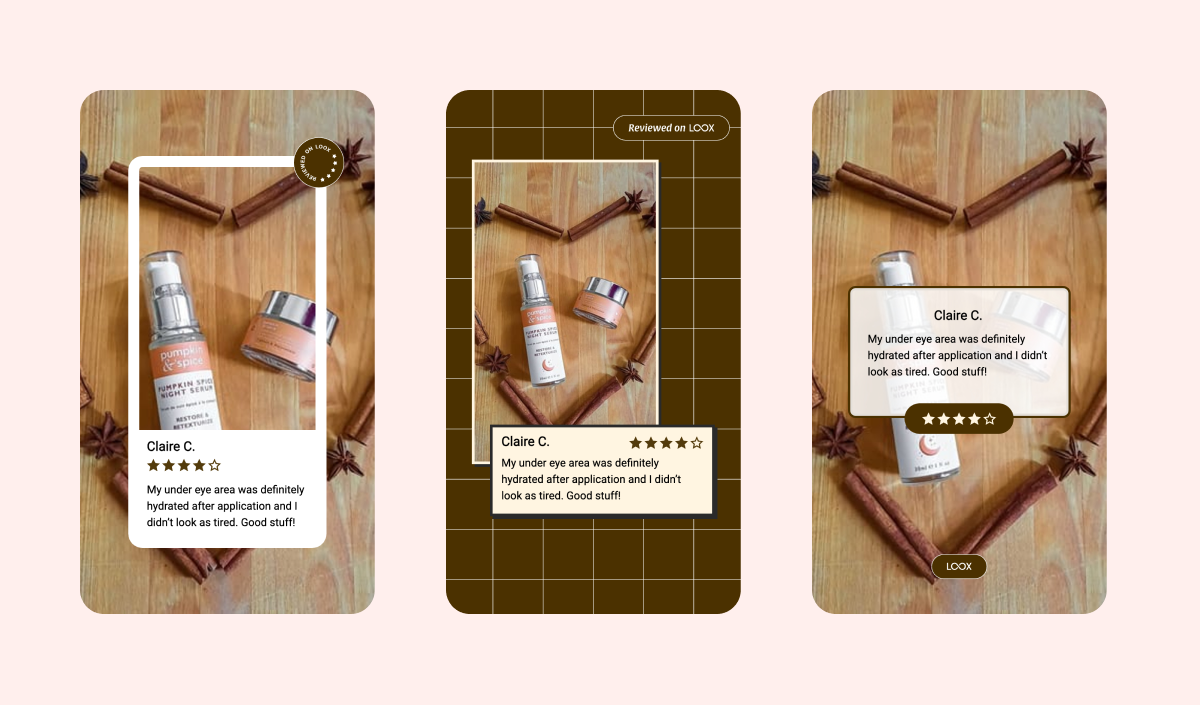
Your best reviews shouldn't just stay in your store. Loox Studio is a built-in marketing tool that turns any customer review into a polished, on-brand social media asset in a single click, right from your Manage Reviews page.
- Choose from professionally designed templates
- Match colors, fonts, and star rating icons to your brand
- Display the full review text or highlight just the best part
- Download a ready-to-share JPG (for photo reviews) or MP4 (for video reviews)
A 5-star review becomes a scroll-stopping asset in seconds, so the trust you build on your store can also work for you on Instagram, TikTok, email campaigns, and ads.
Put Loox's AI suite to work
Loox's AI-powered features, available on the Convert Plan, are built to optimize conversion and make managing, displaying, and scaling your reviews effortless.
- AI Review Stories Widget - Turn your reviews into a showstopping, tappable, story-style experience that surfaces the most compelling reasons to buy right at the top of your product page.
- AI Summaries - Surface the most common takeaways from your customer reviews in a short, AI-generated summary inside the Reviews Widget, so shoppers get the full picture without scrolling through every review.
- API & Webhooks - Access your Loox review data programmatically to build custom widgets, sync with your tech stack, and automate workflows.
These are just a few highlights. See the full list of AI-powered features, including review highlights, auto-translated reviews, AI review replies, and smart review sorting, on the Convert Plan page.
Collect more - and better - reviews
Your widgets are only as convincing as the reviews inside them. The more reviews you collect, especially photo and video reviews, the more persuasive every widget, carousel, and syndication channel becomes. These adjustments to your review collection setup help you get there faster:
- Enable photo and video reminder emails - visual reviews build far more trust than text alone. Read more about how to collect more video reviews.
- Time your review requests around fulfillment or delivery, so emails land after customers have actually tried the product. Learn more about delivery-based timing.
- Add reminder emails to follow up with customers who didn't respond to the first request. Learn more
- Add multi-language templates if you sell internationally. Learn more
- Import your past reviews via CSV so new product pages don't launch empty.
Incentivize reviews and bring customers back
Loox lets you reward customers with an automatic discount when they leave a photo or video review. This does two things at once: you collect more visual reviews to display on your store and use in ads, and the customer has a reason to come back and buy again before the discount expires.
You can configure the discount type, amount, and expiry in your Loox admin to stay in control of your margins.
Turn customers into brand advocates with Loox Referrals
Shoppers are far more likely to buy when a friend refers them. Loox Referrals gives you a word-of-mouth program with no code required.
- Post-Purchase Referrals Widget - Appears on the Thank You and Order Status pages right after checkout, when excitement is at its peak
- Post-Review Referrals Widget - Invites happy reviewers to share their referral link the moment they submit a 4 or 5-star review
- Onsite Referrals Widget - A floating button on your storefront so any visitor can join the program
Setting up a dual-sided reward - a discount for the referred friend, and a reward for the advocate - helps maximize sharing and repeat purchases. Learn more about setting up your Referral program.
Syndicate reviews to where shoppers discover products
Your reviews shouldn't only live on your store. Loox can push them to the platforms shoppers use to compare and decide.
- Google Shopping - Display star ratings on your product listings. Higher ratings improve click-through rates and lower your effective cost-per-click
- Meta Shops - Show ratings inside Facebook and Instagram Shop, where customers browse and check out without leaving the app
- TikTok Shop - Surface social proof natively in TikTok product listings
- Shop App - Display your reviews in Shopify's Shop App for buyers browsing across stores
Once connected, syndication runs automatically as new reviews come in.
A simple setup sequence
If you're starting from scratch or want to make sure you haven't missed anything, turning features on in this order helps each step build on the last:
- Set up the Reviews Widget, Star Rating Widget, and Snippets Widget as your foundation
- Enable photo and video review requests with a discount incentive
- Add a Carousel Widget to your homepage and collection pages
- Connect Google Shopping syndication
- Activate Loox Referrals, starting with the Post-Purchase and Post-Review widgets
- Connect Meta, TikTok, and Shop App syndication
More reviews fuel better widgets, better widgets drive higher conversion, and referrals multiply the value of every customer you win.