
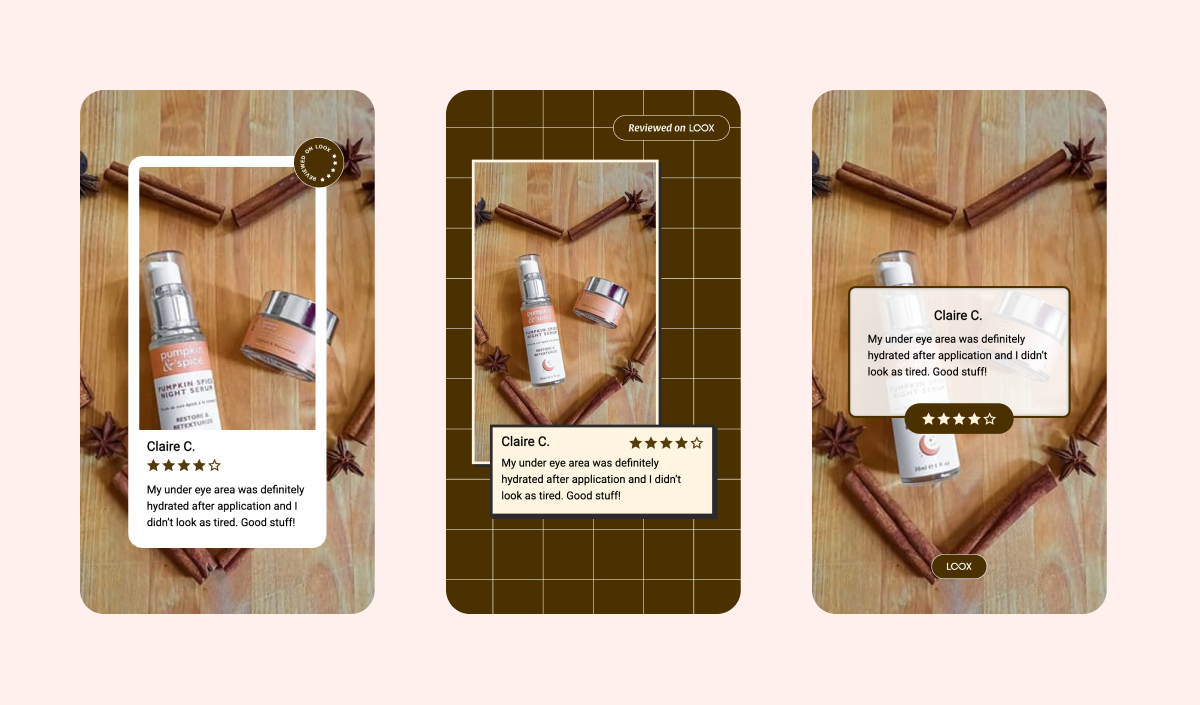
Loox Studio makes it easy to turn your best customer reviews into beautiful, ready-to-share content you can use across your marketing channels to boost trust and engagement.
Why use Loox Studio?
Loox Studio helps you extend the impact of your happiest customers beyond your store. With just a few clicks, you can:
Create scroll-stopping visuals for Instagram, TikTok, Facebook, and more
Share powerful social proof in email campaigns, ads, or landing pages
Highlight your best reviews with on-brand, high-quality templates
Save time on design work with export-ready creatives
How to use Loox studio
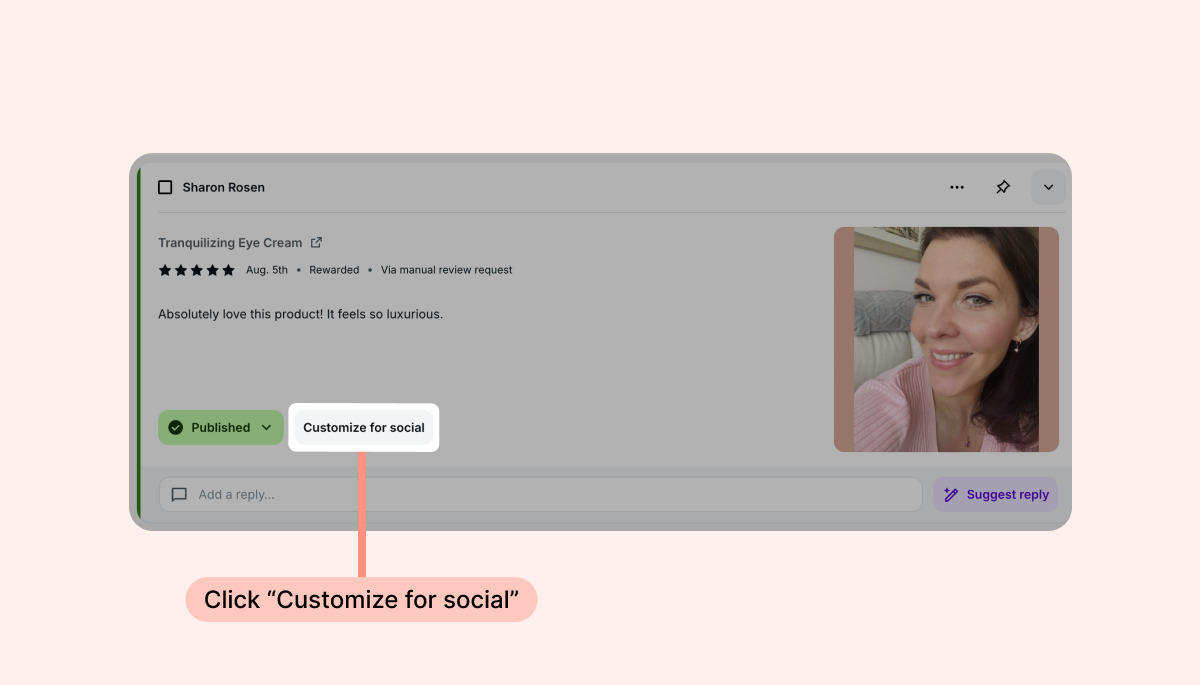
You can access the Loox studio directly from your Manage Reviews page.
Find a product or store review you want to share.
Click Customize for Social:
Customize the style and colors.
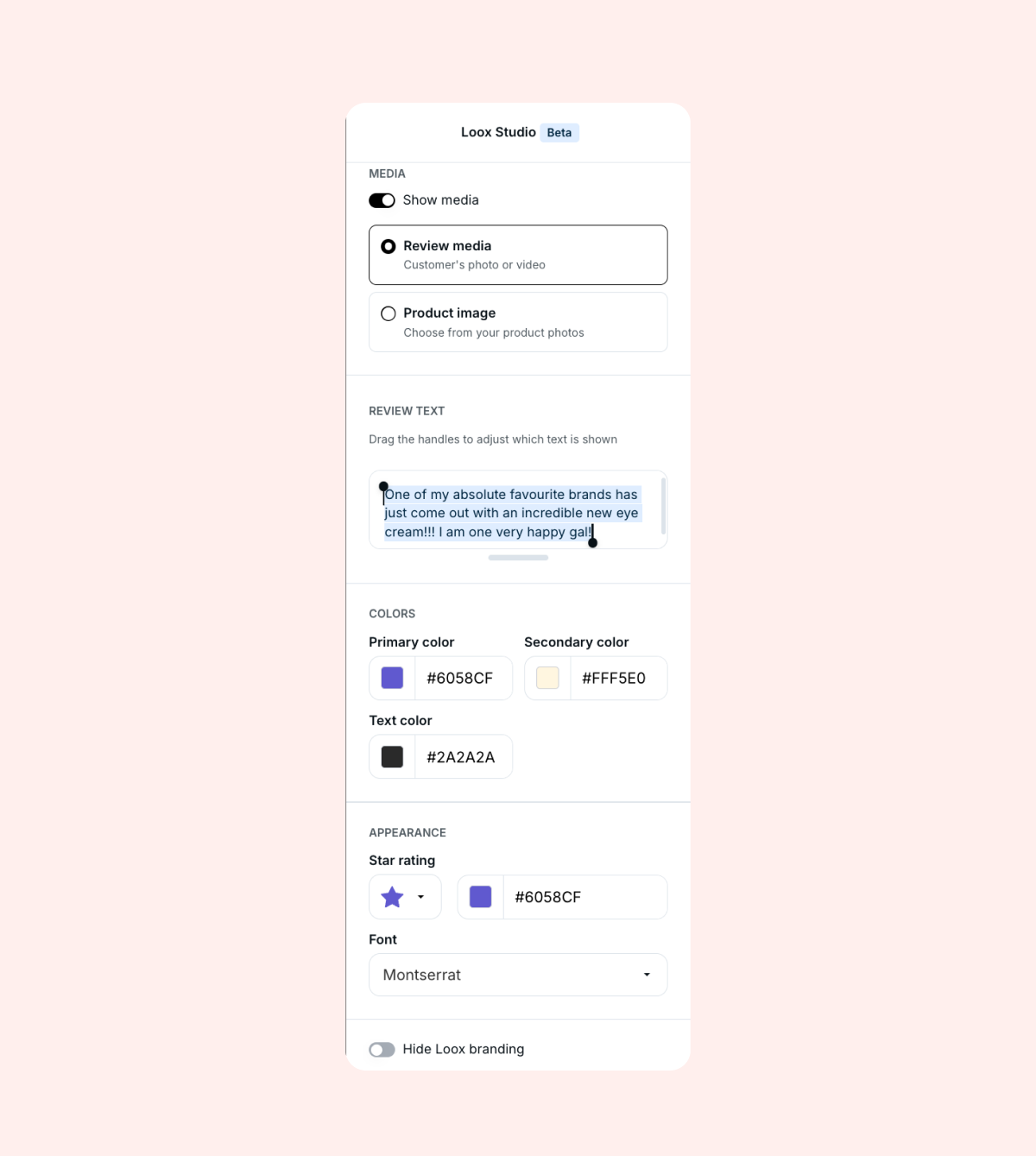
Choose whether to display the review media or your product image from Shopify.
If you don't want to include the full text of the review, select the text you'd like to display.
Once you've finished customizing, click “Download.”
Note: If you're customizing a video review, you will get notified by email when your video file is ready to download.
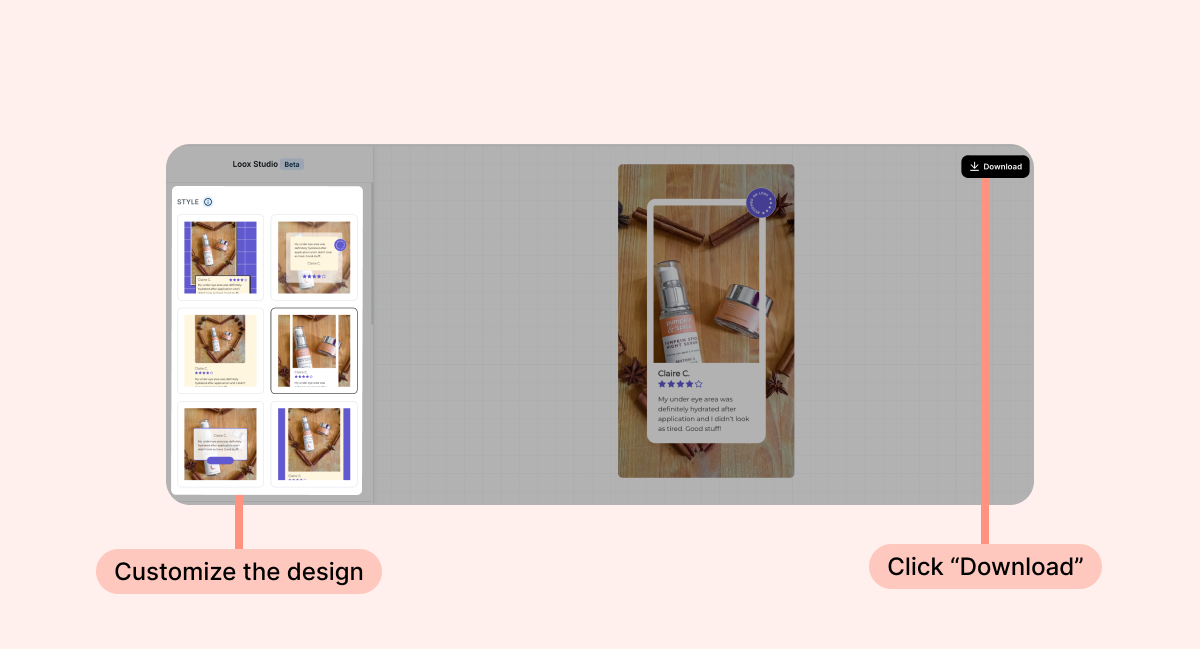
That's it! You'll get a JPG or MP4 file that is ready to share anywhere.
Tip: All template styles are optimized for vertical social posts like Instagram Stories, Reels, and TikTok (9:16 aspect ratio).
Customization options
Inside the Loox Studio editor, you can choose from multiple template styles and customize the design to match your brand. These are all the available customization options:
Show media - Choose whether or not to display the review's photo or video in your design, or opt to display your Shopify product image instead.
Displayed text - Display the full text of the review or drag the highlight handles to create an abbreviated display text.
Colors - Adjust the colors of your selected template and the text.
Star rating - Adjust the star rating icon and color to match your brand.
Font - Select your favorite font for the review text.
Loox branding - Choose whether or not to display Loox branding on your design.
FAQs
Q: Where can I use the designs I create?
A: Anywhere! Share them on social media, email, paid ads, or landing pages.
Q: Can I design reviews with multiple photos?
A: For reviews with multiple photos, you can only design the cover image.
Q: Which review types are supported with Loox Studio?
A: You can use both photo and video reviews. Photo reviews are exported as high-resolution JPGs; video reviews are exported as MP4 files. Store reviews are also supported.
Q: What happens if my video fails to render?
A: If the render doesn't complete, you'll see an error message with the option to retry. If the issue persists, contact our support team - we're happy to help.
Q: Can I use any template for video reviews?
A: Most templates are compatible with both photo and video reviews. If a template isn't available for a video, you'll see the supported options highlighted in the editor.