
The Loox and Wholescale integration is available on the Convert and Unlimited Plans.
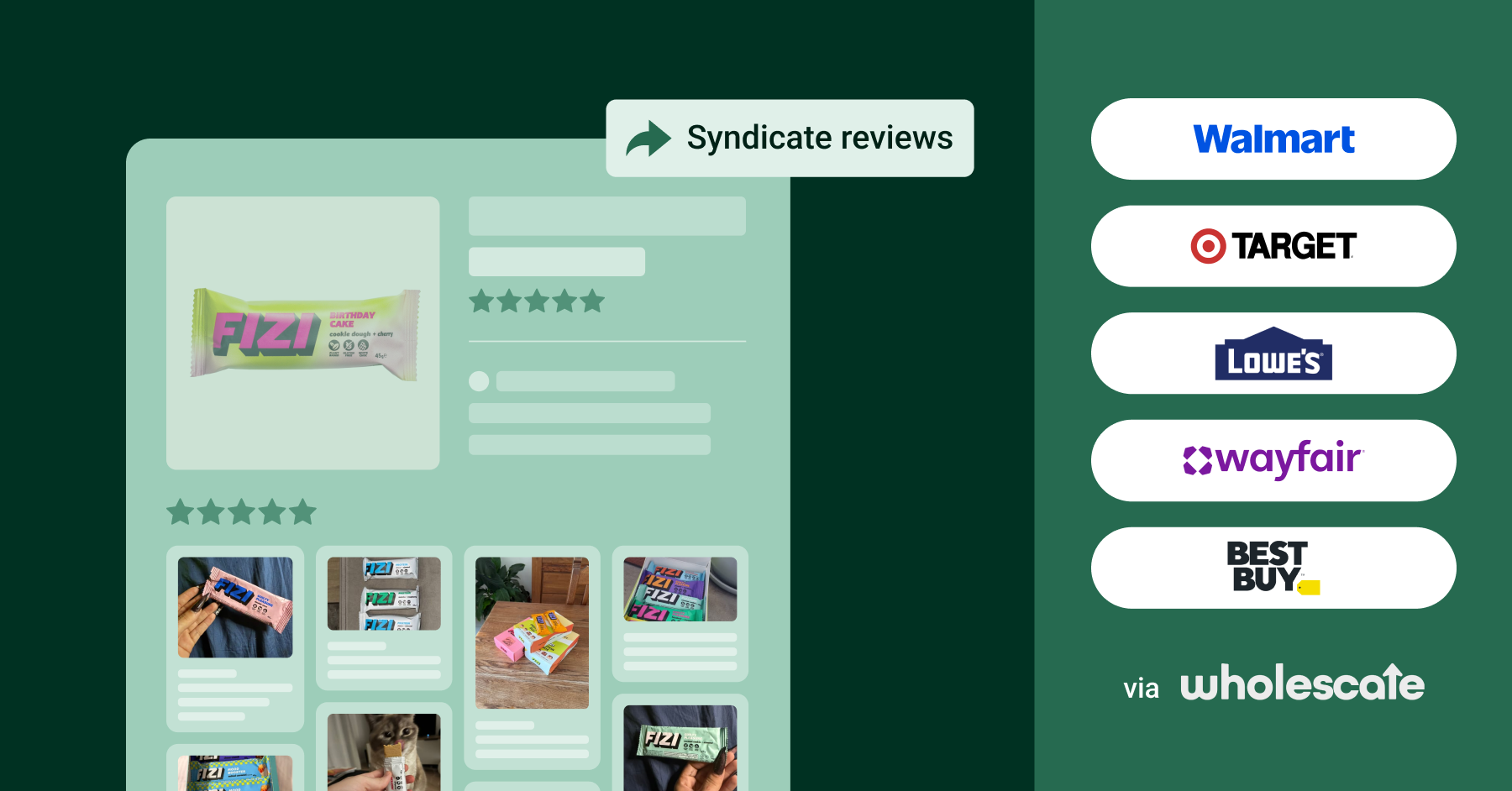
Make your reviews work for you outside the borders of Shopify- if you also sell through major retailers, Wholescale lets you syndicate your Loox reviews to your listings on retail sites like Walmart, Target, and Best Buy.
This article covers what the Wholescale integration does, how to connect it to Loox, and what happens once it's connected.
Why syndicate your reviews with Wholescale?
Your product listings on retail sites often start with far fewer reviews than the same products have on your own store. Don't leave your hard-earned reviews behind! Syndicating your Loox reviews closes that gap:
- Your retail listings display the reviews your customers have already written, so shoppers see real social proof wherever they find your products
- New reviews collected through Loox sync to your Wholescale portal automatically, with no manual exports
- You can add retailers and marketplaces as you expand your own sales channels and as Wholescale's network grows
Wholescale's syndication network currently includes: Target, Wayfair US & CA, Lowe’s, Best Buy US, Walmart US & CA, TikTok Shop, Perigold, Joss and Main, Birch Lane.
Pricing
Syndicating your existing reviews requires a one-time import fee that varies by the number of reviews you're importing. See Wholescale's import pricing for the full breakdown.
Tip: Loox merchants get 15% off Wholescale's one-time import fee. Get started with Wholescale.
How to connect Loox to Wholescale
The setup has two sides. Loox provides a store ID and an API key so Wholescale can pull your review data, and Wholescale generates a webhook URL that sends new Loox reviews to your Wholescale portal as they come in.
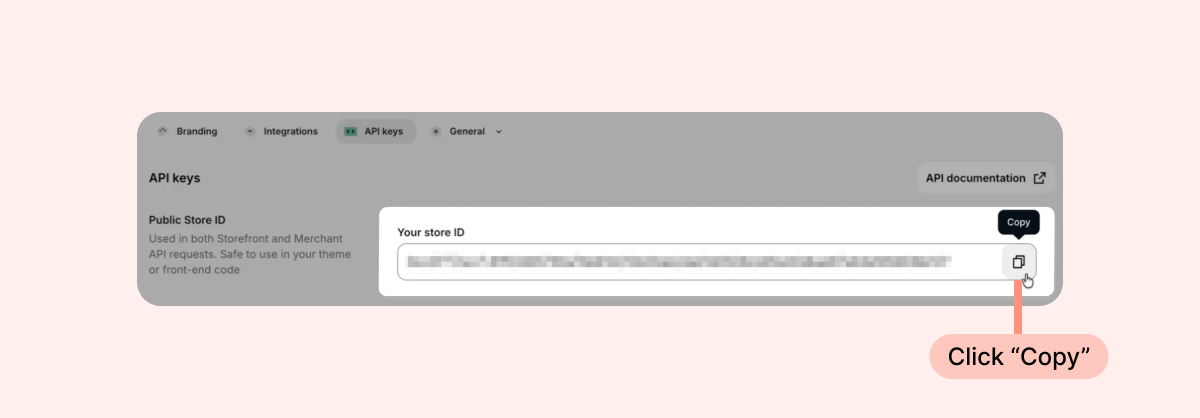
- In your Loox admin, go to Settings > API keys.
- Under Public Store ID, copy your store ID.
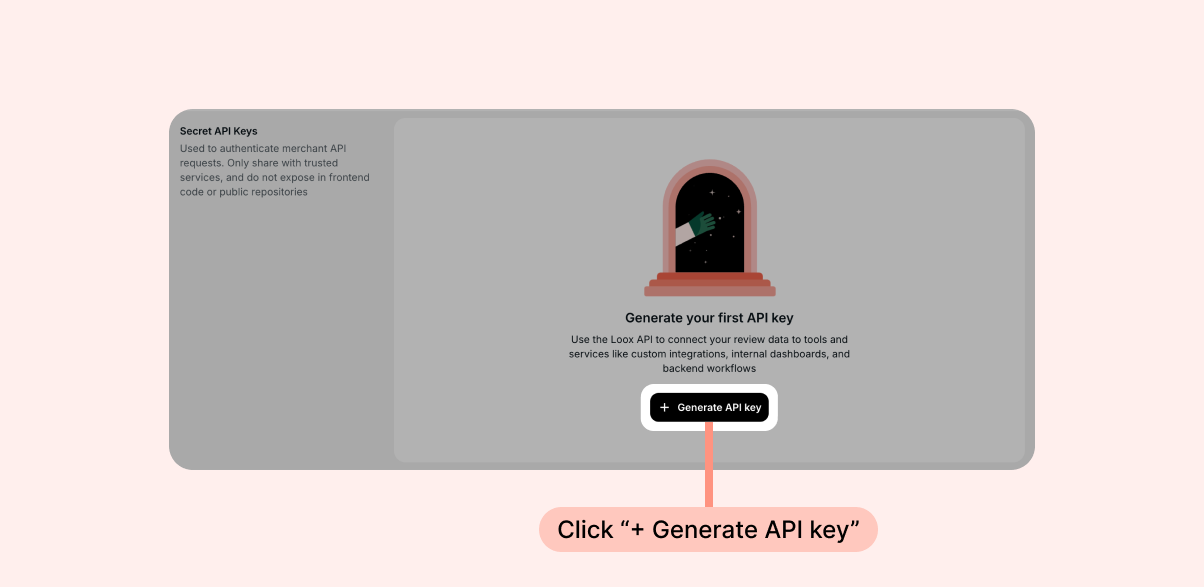
- Under Secret API Keys, click + Generate API key and copy the key that appears.
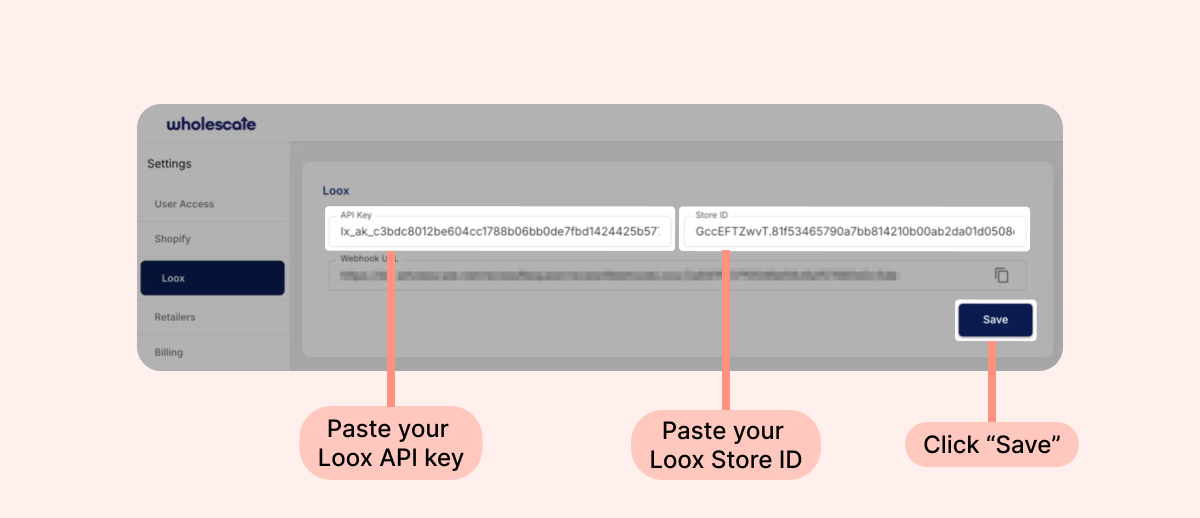
- In Wholescale, go to Settings and select Loox from the left-hand menu.
- Paste the store ID and API key you copied from Loox into the matching fields.
- Click Save, then refresh the page.
- After the page refreshes, Wholescale generates a URL in the Webhook URL field. Click the copy icon next to the field.
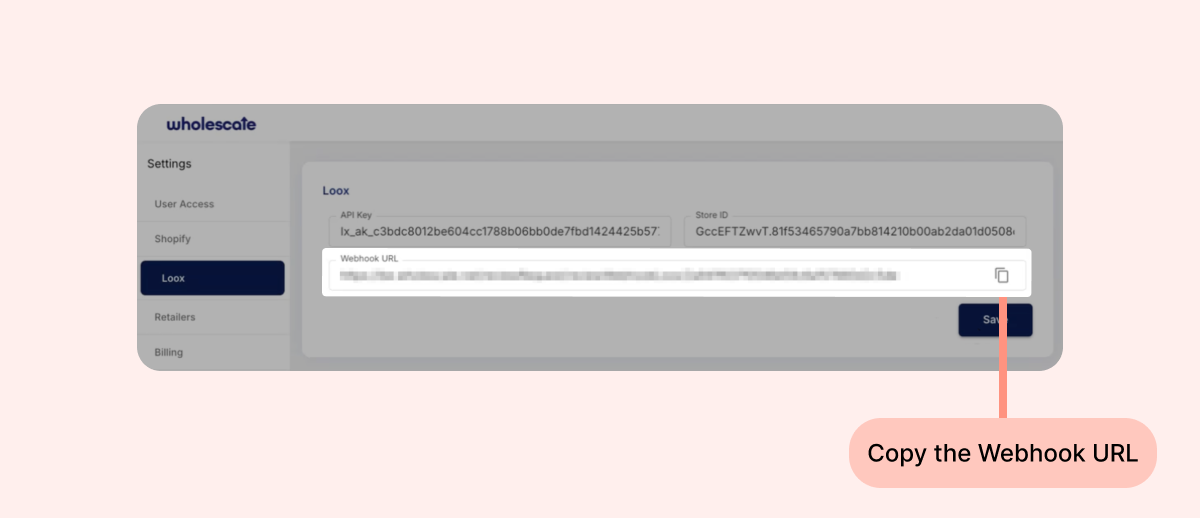
- Back in your Loox admin, on the API keys page, scroll to the Webhooks section. Click + Add endpoint, paste the webhook URL, and save.
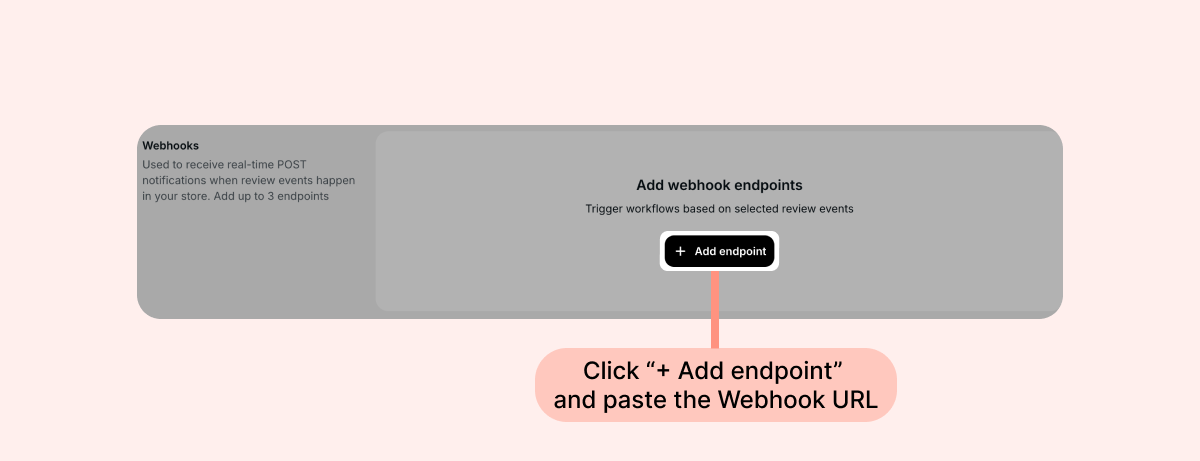
Once the endpoint is saved, Loox is connected to Wholescale, and new reviews sync to your Wholescale portal automatically.
Note: Treat your API key like a password. Only paste it into the Wholescale settings page, and avoid sharing it anywhere else.
Good to know
- Your reviews stay in Loox. Syndication sends a copy of your reviews to your retail listings, and you keep managing them from the Manage Reviews page as usual
- Syndicating your existing reviews is covered by the one-time import, and reviews you collect after connecting sync automatically
- You choose which retailers and marketplaces to syndicate to from your Wholescale portal, and you can add more over time
FAQs
Q: My reviews aren't appearing in Wholescale. What should I check?
A: Check that your store ID and API key were pasted into Wholescale with no extra spaces, and that you clicked Save and refreshed the page before copying the webhook URL from Wholescale into Loox.
Q: The Webhook URL field in Wholescale is empty. Why?
A: The webhook URL is generated only after a valid store ID and API key are saved. Save your credentials, refresh the page, and the URL will appear.
Q: Which retailers can I syndicate my reviews to?
A: Wholescale's network currently includes: Target, Wayfair US & CA, Lowe’s, Best Buy US, Walmart US & CA, TikTok Shop, Perigold, Joss and Main, Birch Lane. You can add channels as Wholescale's network grows.
Q: Who do I contact with questions about my syndicated reviews?
A: For questions about syndication, pricing, or your retail listings, reach out to your Wholescale account manager. For anything on the Loox side, like your API key or webhooks, contact us and we're happy to help.
If you have more questions, contact our Support team at [email protected]. We're available 24/7 and happy to help!